



The industry is converging on this name
Through 2026, three independent voices arrived at the same pattern under the same name. An IETF draft — Credential Broker for Agents (CB4A) (Hartman, March 2026) — specifies that agents should never hold real long-lived credentials, receiving instead "short-lived, narrowly scoped, auditable proxy credentials issued by a broker." A companion SANS essay (May 2026) frames agents as "the newest, and potentially the most dangerous confused deputies" in cloud environments. And the Cloud Security Alliance (May 2026) describes an "ephemeral credential broker model" with short-TTL agent credentials.
The CB4A model, in plain English
CB4A splits a broker into two roles: a Policy Decision Point — the part that decides whether a request is allowed — and a credential delivery step that applies or dispenses the credential once the decision is made. Keeping those as separate steps, even inside the same broker, is the idea that matters: the component making the decision never has to be the component holding the secret.
Outloop's request flow follows that same shape — a policy and tenant check runs first, and only on approval does the local broker use the credential on the wire. That is a plain-English description of an architectural pattern Outloop's design happens to share with CB4A's proposal, not a claim of formal compliance with the draft — which remains an individual, unadopted Internet-Draft, not an approved standard.
Common credential-broker architectures
Public implementations of this pattern generally take one of five shapes:
- 1.Runtime proxy or credential injection. A broker sits on the call path and applies the credential to the outbound request itself; the caller only ever sees the result.
- 2.Short-lived credential minting. The broker issues a narrowly scoped, time-limited credential the caller holds directly, instead of a long-lived key.
- 3.Gateway enforcement. A network gateway enforces which caller may reach which downstream host and credential, independent of the caller's own logic.
- 4.Workload identity. The caller authenticates as a cryptographically verifiable workload (for example, SPIFFE/SPIRE), and access is granted to that identity rather than to a shared secret.
- 5.Separation of policy decision from credential use. Whatever the mechanism, the decision of "is this allowed" is made by a step distinct from the one that actually touches the secret.
Outloop's implementation combines patterns 1 and 5: a local runtime proxy that applies the credential host-side, with policy decision and credential use kept as separate steps in the same request. Outloop does not currently mint short-lived credentials for every provider, run a network gateway, or issue SPIFFE/SPIRE-style workload identities — see what Outloop is not (yet) below.
How the pattern works
Every credential-broker design shares three moves: the agent requests rather than holds; a policy decision runs per request (which workspace, which service, which action); and the raw long-lived secret never reaches the agent. Designs differ on the last step: CB4A-style brokers issue short-lived proxy credentials to the agent; Outloop's broker goes one step further and performs the action itself, returning only a redacted, non-secret result — the agent receives no credential in any form.
A brokered request: action in, redacted result out
- 01
Agent request
The agent asks for an approved action or alias — not a raw key.
- 02
Policy & tenant check
Outloop checks project, tenant identity, and runtime policy before anything runs.
- 03
Local broker
On approval, the local broker uses the credential on the wire to perform the call.
- 04
Redacted result
The agent receives a sanitized, non-secret result. Raw values never enter its context.
- 05
Audit log
Every attempt is written to a redacted local audit — decision, tenant, service.
The agent never sees the credential. A wrong-tenant request is denied at the policy check, before any backend call.
Broker vs vault — different layers, both needed
A vault answers "where is the secret stored?" A broker answers "may this agent use it — here, now, for this action?" Keep your vault (1Password, Keychain, Infisical, Doppler — see bring your own vault); the broker sits above it, reading host-side at request time. The distinction in one page: Outloop is not a vault.
Adjacent solution categories
"Credential broker" sits next to several categories people reasonably confuse it with. Each solves a real, distinct problem:
- →Secrets vaults (1Password, Infisical, Doppler, HashiCorp Vault) — store, encrypt, and rotate secrets; see bring your own vault.
- →MCP authorization — governs how a client connects to an MCP server; see credential broker vs MCP authentication.
- →Workload identity (SPIFFE/SPIRE-style) — issues a workload a short-lived, cryptographically verifiable identity for workload-to-workload authentication in cloud infrastructure. It is not a shared long-lived secret, and it solves a different problem: proving which workload this is, not deciding whether a given workspace may use a specific downstream credential right now.
- →Enterprise non-human-identity (NHI) governance — org-wide discovery, lifecycle governance, and compliance reporting across a large machine-identity estate.
Vault vs MCP authentication vs workload identity vs Outloop
| Dimension | Vault | MCP authentication | Workload identity | Outloop |
|---|---|---|---|---|
| Where the credential lives | Encrypted at rest in the vault | N/A — authenticates the connection, not a downstream credential | A short-lived issued identity/token, not a shared secret | Your existing vault or macOS Keychain — Outloop stores nothing |
| Does the caller see the raw value | Returned to whoever asks | N/A | The workload holds its own identity, not someone else's secret | No — applied host-side, redacted result returned |
| What is actually decided | Who can fetch the secret | Which client may connect to which server, with which scopes | Which workload is which, cryptographically | Whether this workspace may use this downstream credential, right now, for this action |
| Per-client / per-workspace scoping | — | Not a native concept | Not a native concept — identity, not tenancy | ✓ |
| Runtime, per-request policy | — | Session-scoped, decided once at connection | N/A — an authentication layer, not a per-call decision | ✓ — checked before every call |
| Audit of actual use | Depends on the vault | Depends on the server/tool | Depends on the implementation | Redacted local audit of every attempt |
| Best fit | Secret storage, encryption, rotation | Connecting an agent to an MCP tool server | Workload-to-workload authentication in cloud infrastructure | Workspace-approved downstream runtime use for agent workflows across client accounts |
Outloop's implementation: an agent access router
Outloop uses a local-first runtime broker model. Credentials remain in macOS Keychain or another approved backend, while Outloop enforces workspace, account, host, method, capability, audit, and redaction policies before runtime use. It adds the tenant dimension the enterprise drafts mostly skip: per-workspace grants, wrong-client use blocked by policy before any backend call, and a redacted local audit of every attempt. The broader layer it belongs to is agent runtime access, and the day-to-day discipline it enforces is AI agent secrets management.
- ✓Local-first — the broker and the credential backend run on the operator's Mac, not a third-party cloud.
- ✓Multi-client workspace mapping — one credential can be shared at the agency level and pinned to a specific downstream account per client workspace.
- ✓Host-side credential use — the credential is applied to the outbound call inside the broker process; it is never handed to the agent.
- ✓Wrong-account denial — a request that doesn't match the workspace's pinned account is denied before any backend call runs.
- ✓Full approved API capability — once a service is granted, agents can use the full range of approved read/write actions for it, not just a fixed safe-check verb.
- ✓Redacted audit — every request, allowed or denied, is written to a local audit log with secrets stripped.
- ✓
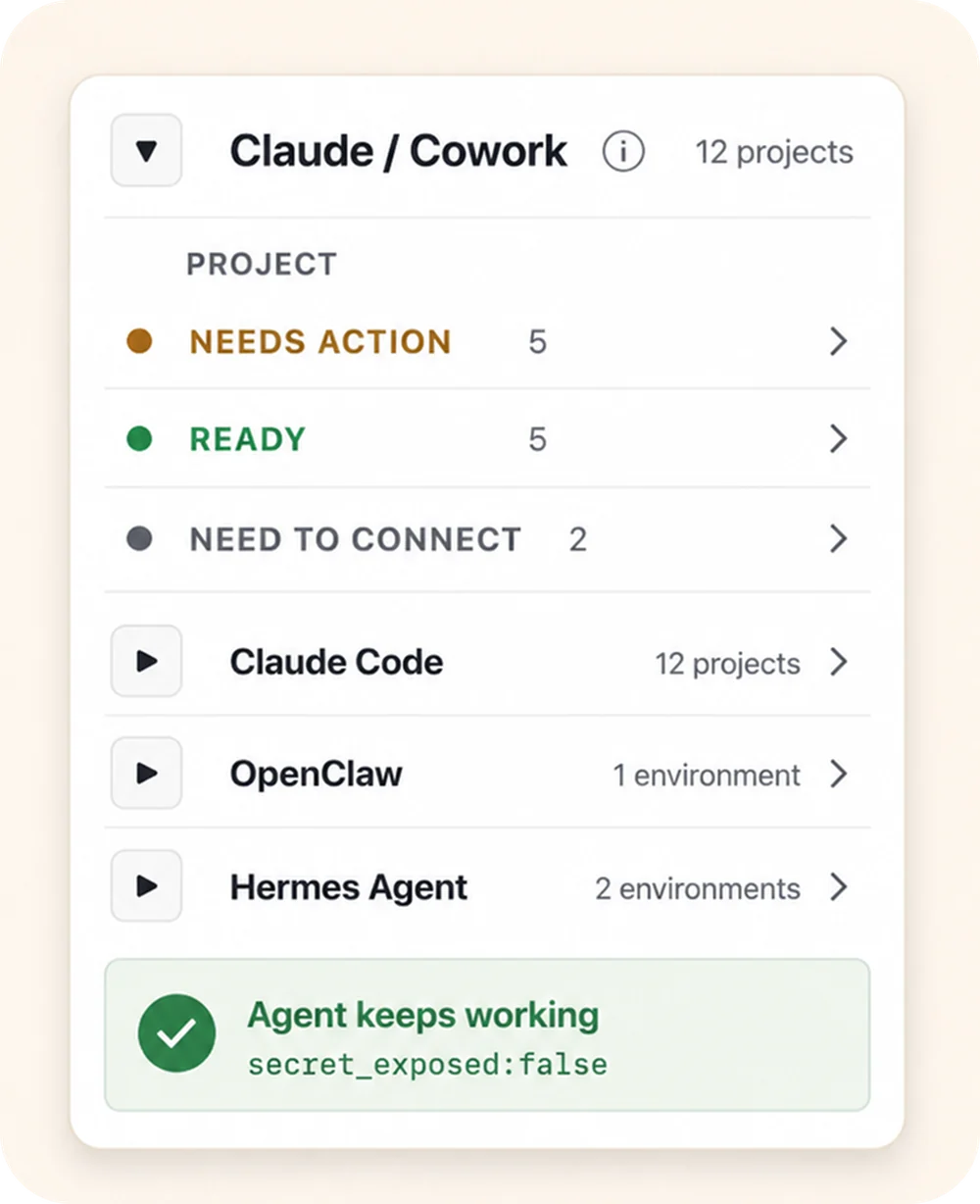
secret_exposed:false— the proof marker returned on every successful brokered call, confirming the response never carried the raw credential.
Who should use this?
- ✓Best fit: agencies and operators managing multiple client, project, account, API, or agent-runtime contexts.
- →Potentially useful: a single high-value workflow where the agent must use credentials without seeing them.
- –Usually unnecessary: a simple single-user, single-account workflow with no meaningful credential exposure, routing, audit, or wrong-account risk.
What Outloop is not (yet)
Being precise about the boundary matters as much as the capability itself. Outloop today is not:
- →A universal short-lived credential issuer. Outloop does not mint a fresh, time-boxed credential for every provider on every call; it applies the long-lived credential you already hold.
- →A SPIFFE/SPIRE workload-identity platform. Outloop does not issue cryptographic workload identities or interoperate with the SPIFFE ecosystem.
- →An enterprise non-human-identity (NHI) governance platform. Outloop does not provide org-wide NHI discovery, lifecycle governance, or compliance reporting across a large enterprise identity estate.
- →A replacement for CyberArk, Infisical, or HashiCorp Vault. Those are secrets-storage and enterprise identity platforms; Outloop is a local runtime layer that sits above whichever one you already use.
- →A vault or password manager. Outloop stores nothing — see Outloop is not a vault.