Demos are easy. Real client work needs more than a model.
Serve more clients with the team you already have.
Give every AI worker the right client context, APIs, accounts and permissions — without rebuilding access for every client.
Reuse what your agency learns. Keep every client's data and access isolated.
No copied keys. No .env files. Wrong-client access blocked.
Create your trial. Download the Mac app. Run your first API proof locally.
Guided setup included · API keys stay local · Cancel anytime
One access setup Workspace approved Runtime allowed secret_exposed:false
Reuse approved API access across the runtimes your team already uses
One approved access layer for Cowork-style sandboxes, Claude Code, Codex, Hermes, and OpenClaw — without rebuilding setup for every platform. Add or change an approved runtime; context and approved access stay attached to the client workspace.
One credential. The right workspace. Any approved agent runtime. secret_exposed:false
Independent tools. Names and logos belong to their respective owners; Outloop is not affiliated with or endorsed by these projects.
Agency capacity
More client work, without growing the team at the same rate.
Every new client used to mean another round of setup by hand — and the same question, every time.
Where is the API key?
Take me out of the damn API loop.
-
More delivery capacity
AI workers take the repeatable execution.
-
Reusable agency know-how
Approved lessons carry to the next client.
-
Less repeated setup
Context and access stop being rebuilt.
-
Cleaner client boundaries
Every client stays its own environment.
Context & learning
Share how the agency works. Never mix who it is working for.
Methods travel. Clients don't. A lesson only becomes shared knowledge after a person approves it.
Learning is a proposal, not an edit. No model training, no self-rewriting, and nothing learned for one client is applied to another.
How context and governed learning workThe AI worker
An AI worker needs more than a model.
An AI worker is an agent operating with the context, tools, permissions and working environment needed to complete real work. Seven things have to be true for one client task to run end to end.
- Model and runtime
- A computer to work on
- Company and client context
- Tools, APIs and files
- Permissions
- Reviewed learning
- Audit
Models change. The workplace stays.
The first two are yours to choose — and to change. Outloop is not the model, not the agent runtime, and not the computer, and it does not pick models for you. It is the layer that keeps the other five true: which client an AI worker is working for, what it may use, and what happens to what it learns. Change the model, or connect a different approved runtime, and the context, approved access, permissions and reviewed learning stay attached to the client workspace.
Illustrative workflow preview — the seven checkpoints and the wrong-client denial are the model Outloop enforces, not a recording of a customer account.
- Context — approved client knowledge, retrieved before work starts.
- Workspace — the agent knows which client it is working for.
- Account — bound to the one account or resource it may touch.
- Access — uses the credential without ever seeing it.
- Files — moves real client files and media through approved paths.
- Audit — every attempt written to a redacted local log.
- Learning — a reviewed lesson improves the next run.
- A request that names the wrong client is denied at the Account checkpoint with RESOURCE_ID_NOT_ALLOWED, before any external system is called.
- The model and runtime are replaceable. The seven checkpoints belong to the client workspace and stay attached to it.
Stages 01–02
Start with the right context
Before it generates anything, the agent retrieves the approved knowledge for that client — brand rules, the assets it may use, what it must not claim. Work starts informed instead of starting blank.
Stages 03–05
Act through approved access
The workspace is bound to one client account. The agent requests an action, policy checks it, and the credential is used host-side. A request naming another client is denied before any backend call.
Stages 06–07
Close the loop
Allowed and denied attempts are both written to a redacted local audit. A lesson from the run becomes a Context revision only after a human approves it — and it can be rolled back.
Nothing here runs on its own judgement. The agent proposes, policy decides, and a human approves anything sensitive — including every change to what the agent has learned.
Where real client work breaks.
Agents are easy in demos. Real client work breaks on access — the same five ways. Each line links to how Outloop handles it.
- Complex setup — even onceOAuth, developer tokens, customer IDs. Most teams stall here.
setup: once - MCP does not scale cleanly across clientsOne connection is often tied to one account.
access: per-client - Browser automation is fragileSessions expire, selectors break, one login holds everything.
path: approved API - Multi-client access becomes chaosEvery client adds keys, folders, and permissions.
wrong_client: blocked - File and media work need approved accessUpload, move, and organize approved Drive and Shared Drive assets.
files: workspace-pinned
Right accessRight clientsecret_exposed:false
How you reuse API access in 3 steps
Add it once. Approve the workspace. Let the agent use it safely.
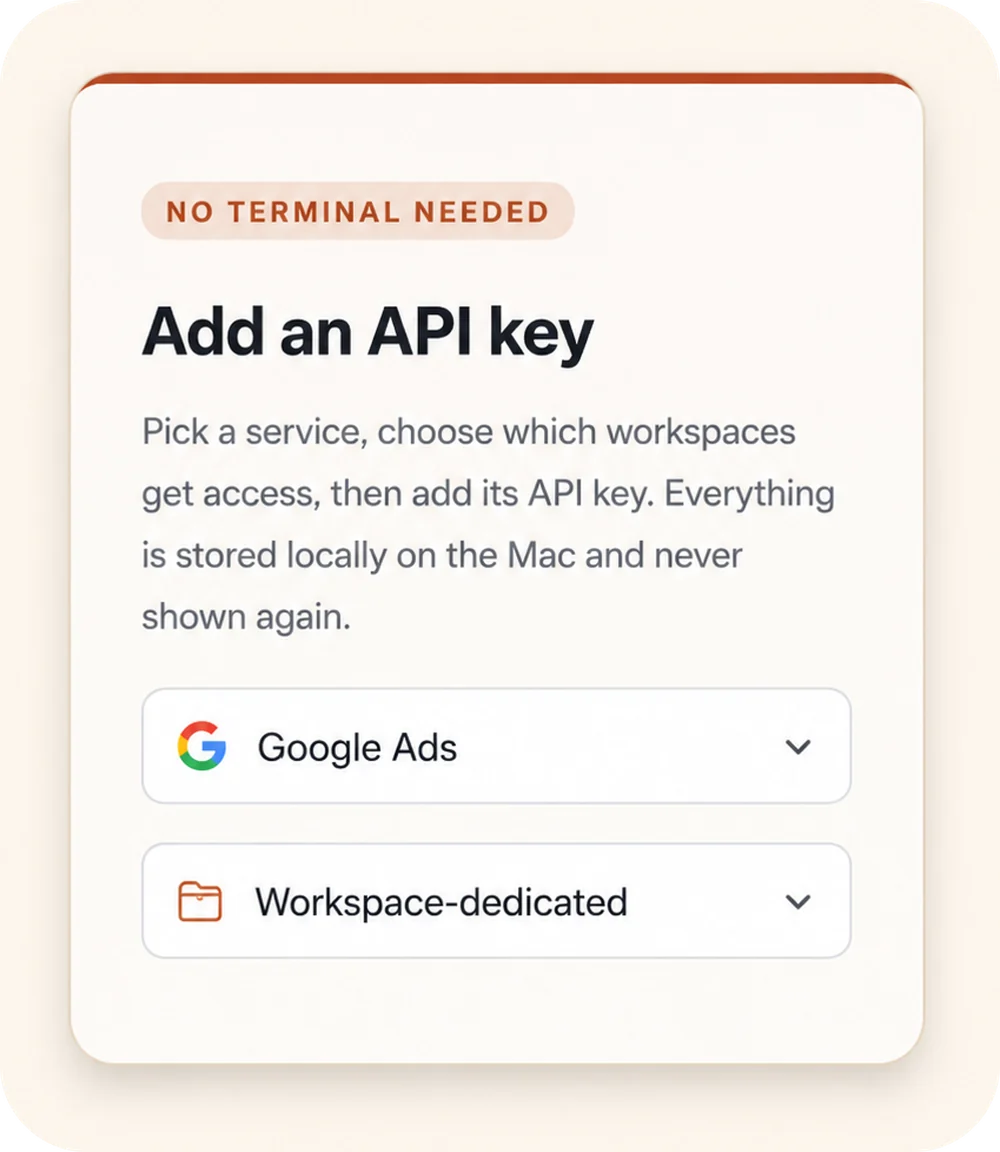
Add API access once
Choose a service, select the workspaces that should get access, and store the credential locally on the Mac.
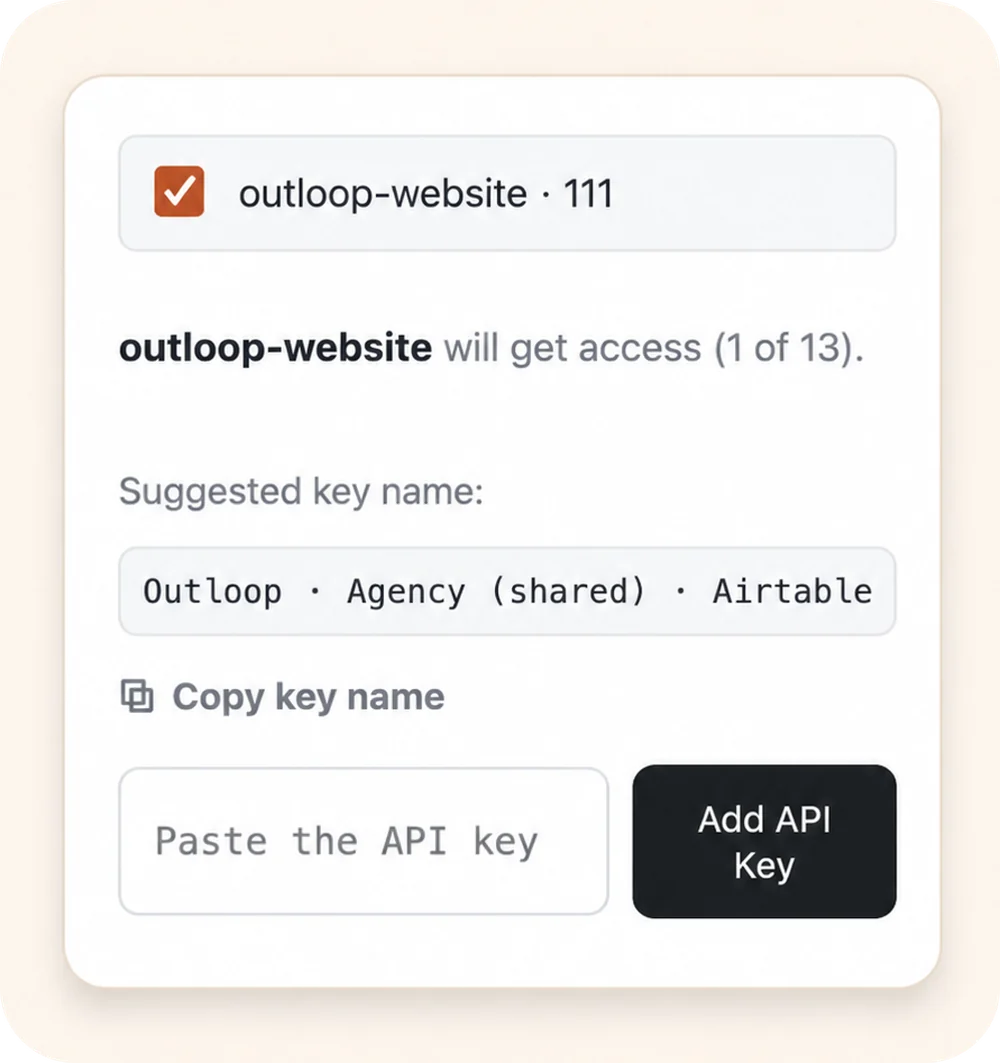
Approve the right workspace
Grant access only to the client workspace that should use it. Each workspace stays isolated.
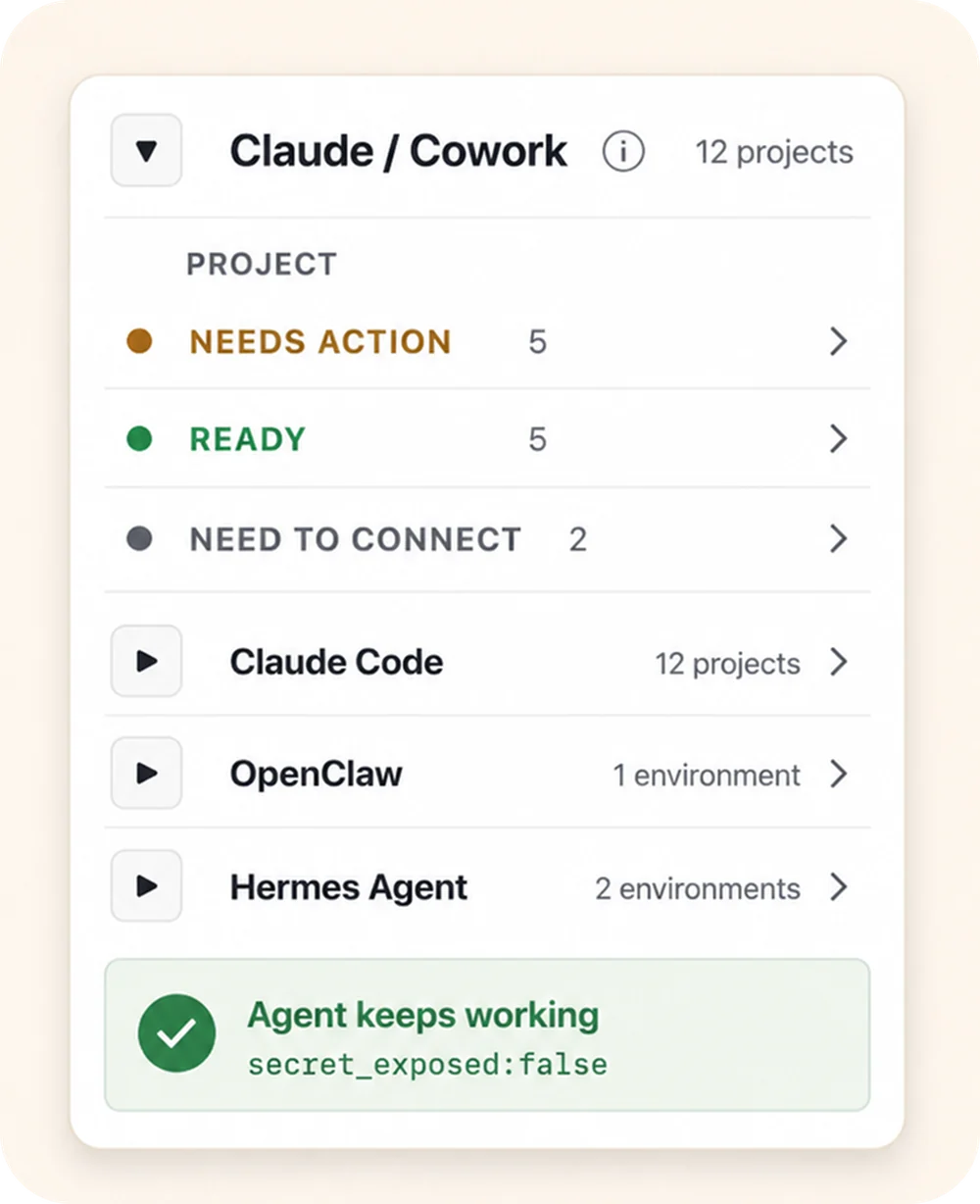
Let agents use approved access
Connect agent projects, then let approved agents request access through Outloop without seeing the raw key.
secret_exposed:false Keys stay local Workspaces stay scoped Agents request access, not keys
The loop, before and after Outloop.
- Agent asks for a key.
- A human pastes it in.
- The key ends up in chat,
.env, logs, or the wrong client folder. - Every new workspace repeats the same setup loop.
- Agent requests approved access.
- Outloop checks workspace policy.
- The local broker performs the call.
- Only a redacted result returns — the agent keeps working.
That's the API loop. Outloop removes it.
Built from real agency API workflows.
Outloop was built while running real client-agent workflows across ads, CRM, data, file, reporting, and automation APIs.
The lesson was simple: agencies don't need another place to paste keys. They need one approved access layer that lets agents work across client workspaces safely.
Explore agency API workflowsExample services shown for workflow context. Logos and names are trademarks of their respective owners; no official integration or endorsement is implied.
AI agents are becoming real workers. Real workers need a controlled workplace.
When a company hires a new employee, it gives that employee a computer. We think the AI worker is the new employee — and it also needs one: files, instructions, approved tools, and access to the systems the work actually lives in.
That is the part almost nobody is building. Models keep getting better at deciding what to do. Someone still has to decide what an agent is allowed to do, for which client, with which account.
Read the AI Agency Manifesto
Keep your vault. Control runtime access.
Outloop works above Keychain, 1Password, Infisical, Doppler, and other secure backends. It does not replace your vault. It controls which workspace and runtime can use approved access.
- No API keys uploaded to cloud.
- No raw key returned to the agent.
- No .env files required.
- Wrong-client access is blocked before credential use.
Pricing for multi-client agent operations.
Start with the workspace pack that fits your agency today. Upgrade when Outloop becomes part of how your team runs client AI workflows.
Pro
$79/mo Save 18%
Billed $777.36 annually
5 client workspaces
$15.80 per client workspace at full plan capacity
For solo operators and small dev shops running real client agent workflows.
- ✓1 activated Mac
- ✓5 client workspaces
- ✓Up to 10 connected services
- ✓30-day local audit history
- ✓Email support
Self-serve setup. No sales call required.
Secrets stay local on your Mac.
Agency Growth
$499/mo Save 18%
Billed $4,910.16 annually
50 client workspaces
$9.98 per client workspace at full plan capacity
For established agencies running agents across many client accounts and workflows.
Everything in Agency Starter, plus —
- ✓Up to 3 activated Macs
- ✓50 client workspaces
- ✓Up to 75 connected services
- ✓90-day local audit history
- ✓Priority support
Add-ons:
+10 workspaces for $60/month, maximum 3
+1 activated Mac for $29/month, maximum 2
Need help planning your rollout?
Request a Workflow ReviewCustom
101+ client workspaces
Tailored capacity for agencies operating at larger scale.
- ✓Custom workspace capacity
- ✓Additional activated Macs
- ✓Custom connected-service limits
- ✓Longer audit history
- ✓Security review and DPA support
- ✓PO and invoice purchasing
Guided implementation is scoped and quoted separately.
Agency Starter ($249/mo, 20 workspaces) and Agency Scale ($899/mo, 100 workspaces) are on the pricing page.
Prefer annual? Billed yearly saves 18% — see all plans.
Secrets always stay local.
Plans are based on activated Macs, client workspaces, and connected services. Outloop cloud never receives raw API keys, tokens, .env contents, Authorization headers, or secret-bearing files.
Send us one real agent workflow. We'll show you where access will break.
A 15-minute AI Workflow Review of one workflow you actually run. We’ll review one real workflow from your agency, identify the tools, accounts, files and permissions it requires, and show you how it could become an AI worker workflow.
Ready to start right away? Start your 14-day guided trial → It begins on Outloop Cloud (account & license only); your API keys stay local on your Mac.
✓ We never ask you to paste secrets into this form.
In the review, we map:
Built for agent workspaces like:





Independent tools. Names and logos belong to their respective owners; no official integration is claimed.
Request your 15-minute AI Workflow Review
Guided onboarding included · We reply by email · No card needed to talk to us
Or start the 14-day guided trial nowGuided onboarding · Secrets stay local · We never ask you to paste secrets into this form.
Do not paste API keys, passwords, Bearer tokens, Authorization headers, .env contents, or other secrets into this form.
By submitting, you agree that we may contact you about your Outloop guided trial and onboarding. Terms · Privacy · Refund Policy
Request received.
We will review your workflow and contact you at about your guided trial and onboarding. Do not send API keys or secrets by email.
Got questions? We have answers.
Ready to get out of the API loop?
Serve more clients with AI workers — and reuse what works.
Put AI workers to work across real client operations — and turn approved learning into reusable agency know-how.
For agencies and operators managing 5 to 100 client workspaces.