



For AI marketing agencies running agents across client accounts

Run more client marketing workflows.

Without rebuilding API access for every client account.

Take me out of the damn API loop.

Marketing agencies run AI agents across client ad, analytics, and CRM accounts — Google Ads, Meta Ads, Merchant Center, GA4, Search Console. Outloop gives each agent approved API access per client workspace, so it works without ever seeing the raw key.

No copied keys. No .env per client. No wrong-account sends.

Create your trial. Download the Mac app. Run your first API proof locally.

Guided setup included · API keys stay local · Cancel anytime

outloop marketing access vault stays locked

One access setup Workspace approved Runtime allowed secret_exposed:false

Reuse approved API access across the runtimes your team already uses

One approved access layer for Cowork-style sandboxes, Claude Code, Codex, Hermes, and OpenClaw — without rebuilding setup for every platform.

One credential. The right workspace. Any approved agent runtime. secret_exposed:false

Independent tools. Names and logos belong to their respective owners; Outloop is not affiliated with or endorsed by these projects.

Use case · AI marketing agencies

Outloop for AI marketing agencies

Last updated:

In short

Outloop lets AI marketing agencies run agents across client ad, analytics, and CRM APIs without rebuilding API access or handing over keys.

Set up approved access to each marketing API once, assign it to the right client workspace, and the agent uses it through Outloop — Google Ads, Meta Ads, Merchant Center, GA4, Search Console. The raw token stays hidden, wrong-client access is blocked by policy before any call, and every request is written to a redacted per-client audit.

Agency workflow proof

Built from real agency API workflows.

Outloop was built while running real client-agent workflows across ads, CRM, data, file, reporting, and automation APIs.

The lesson was simple: agencies don't need another place to paste keys. They need one approved access layer that lets agents work across client workspaces safely.

Explore agency API workflows
Google Ads Campaign checks
Meta Ads Account reporting
Merchant Center Product feed review
Airtable CRM & ops data
Google Drive Client asset folders
Gmail Inbox workflows
Apify Data collection
Firecrawl Web research

Example services shown for workflow context. Logos and names are trademarks of their respective owners; no official integration or endorsement is implied.

The multi-client marketing bottleneck

A marketing agency doesn't run one agent against one API. It runs agents across many clients, each with its own ad accounts, analytics properties, Merchant Center, and CRM. Every new client re-opens the same question — how does this agent reach that client's API safely? — and the risks stack up:

  • You're stuck hand-feeding API keys and re-doing access setup for every client.
  • Tokens sprawl across .env files, chats, and project folders.
  • An agent can push a budget change or a feed update to the wrong client's account.
  • Teams fall back to fragile browser automation because the ad-platform API setup looks too hard.
  • Agents write captions and reports, but a human still moves the video, renames the thumbnails, and files the report in the client's Drive.
  • There's no clean per-client record of what ran, for whom, with which credential.

One approved access setup, reused across every client

Outloop changes what the agent asks for: an approved action, not a key. The flow is the same for every marketing API:

  • 1.Set up approved API access once — per marketing API, stored in your vault or keychain.
  • 2.Assign it to the right client workspace.
  • 3.The agent uses the approved API through Outloop — it requests the action, the local broker performs the call.
  • 4.Wrong-client access is blocked by policy before any backend call.
  • 5.Raw secrets stay hidden — never in chat, .env, or logs.
  • 6.Every request is audited — a redacted, per-client record (secret_exposed:false).

A brokered request: action in, redacted result out

  1. 01

    Agent request

    The agent asks for an approved action or alias — not a raw key.

  2. 02

    Policy & tenant check

    Outloop checks project, tenant identity, and runtime policy before anything runs.

  3. 03

    Local broker

    On approval, the local broker uses the credential on the wire to perform the call.

  4. 04

    Redacted result

    The agent receives a sanitized, non-secret result. Raw values never enter its context.

  5. 05

    Audit log

    Every attempt is written to a redacted local audit — decision, tenant, service.

The agent never sees the credential. A wrong-tenant request is denied at the policy check, before any backend call.

How it works

How you reuse API access in 3 steps

Add it once. Approve the workspace. Let the agent use it safely.

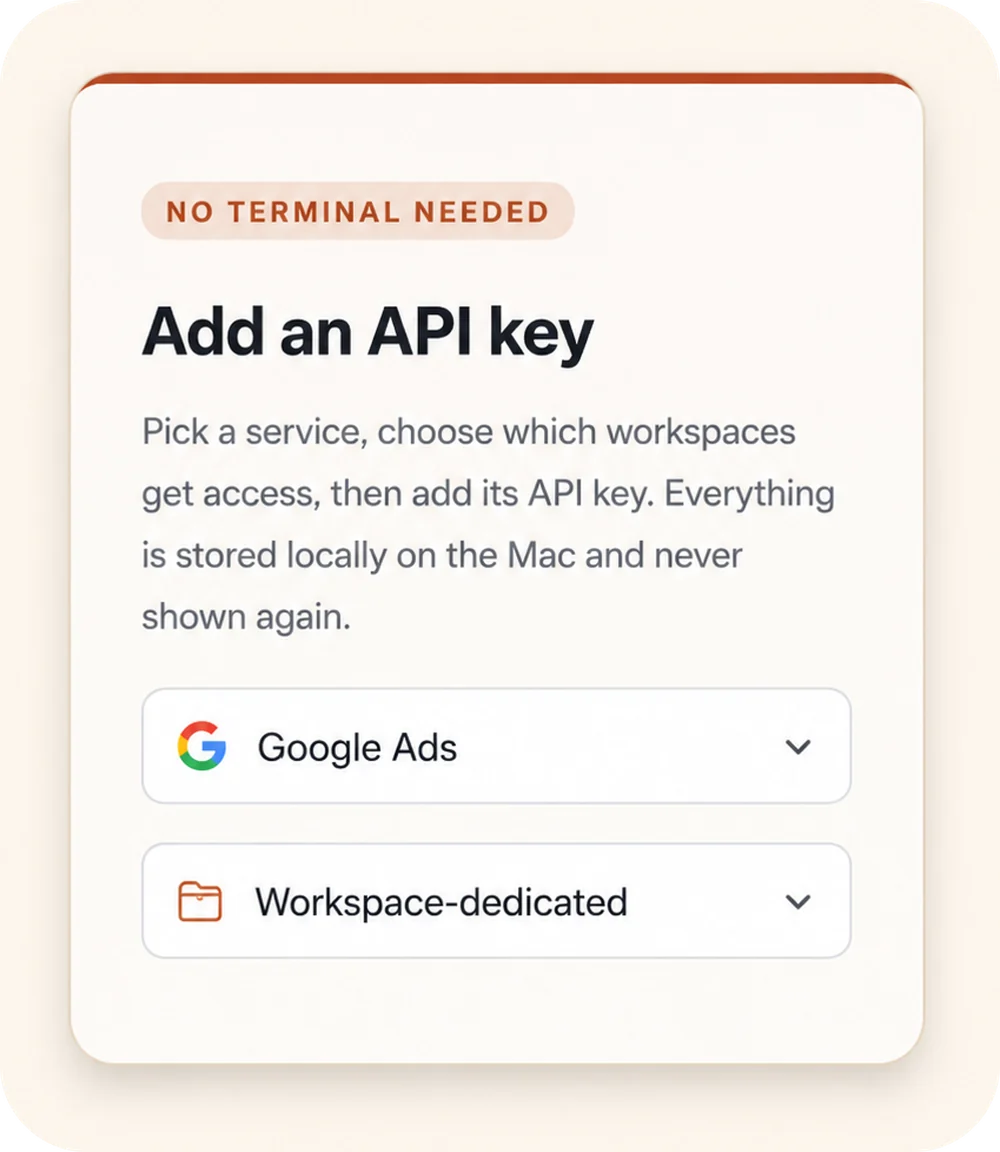
Outloop “Add an API key” panel: a “No terminal needed” badge, a service picker set to Google Ads, and a Workspace-dedicated access selector.
00

Add API access once

Choose a service, select the workspaces that should get access, and store the credential locally on the Mac.

Keys stay local
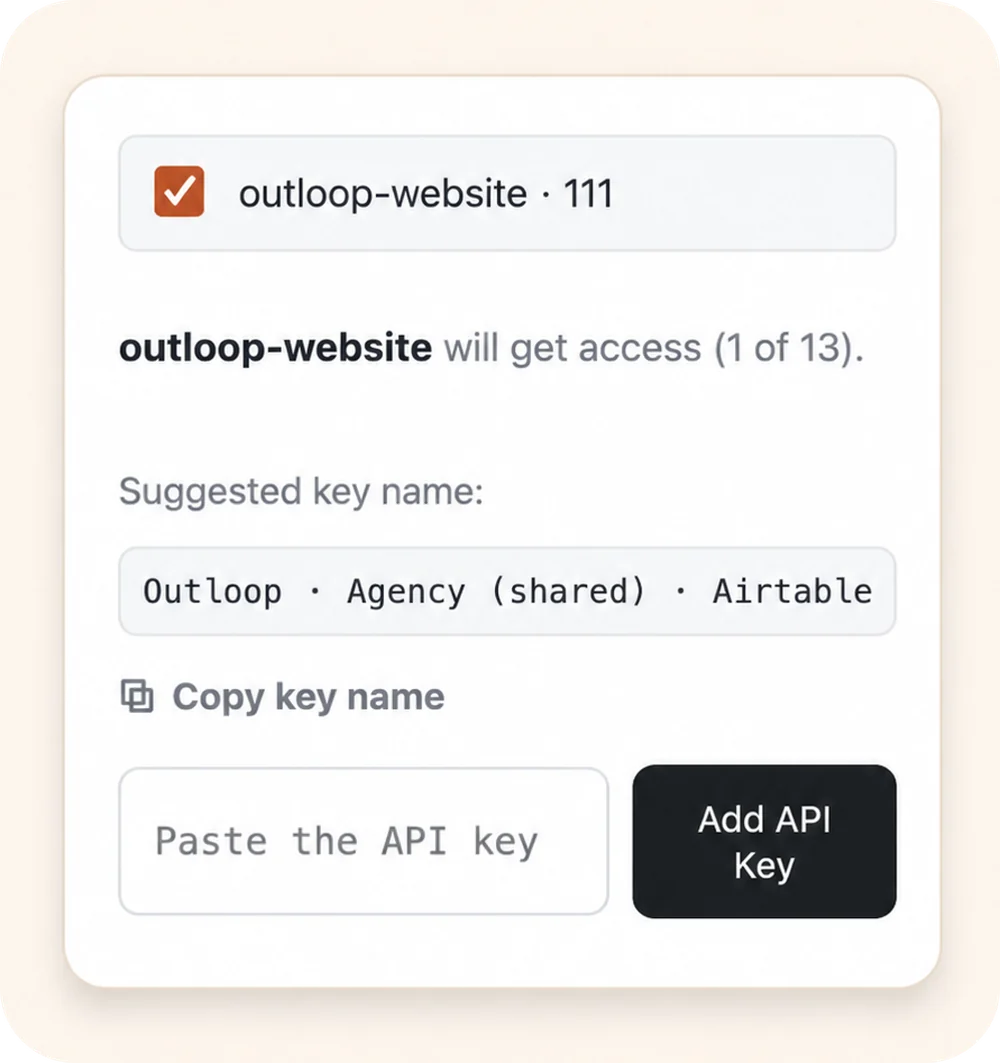
Outloop workspace approval: the outloop-website workspace selected to receive access, with a suggested key name and an empty “Paste the API key” field.
00

Approve the right workspace

Grant access only to the client workspace that should use it. Each workspace stays isolated.

Wrong-client access blocked
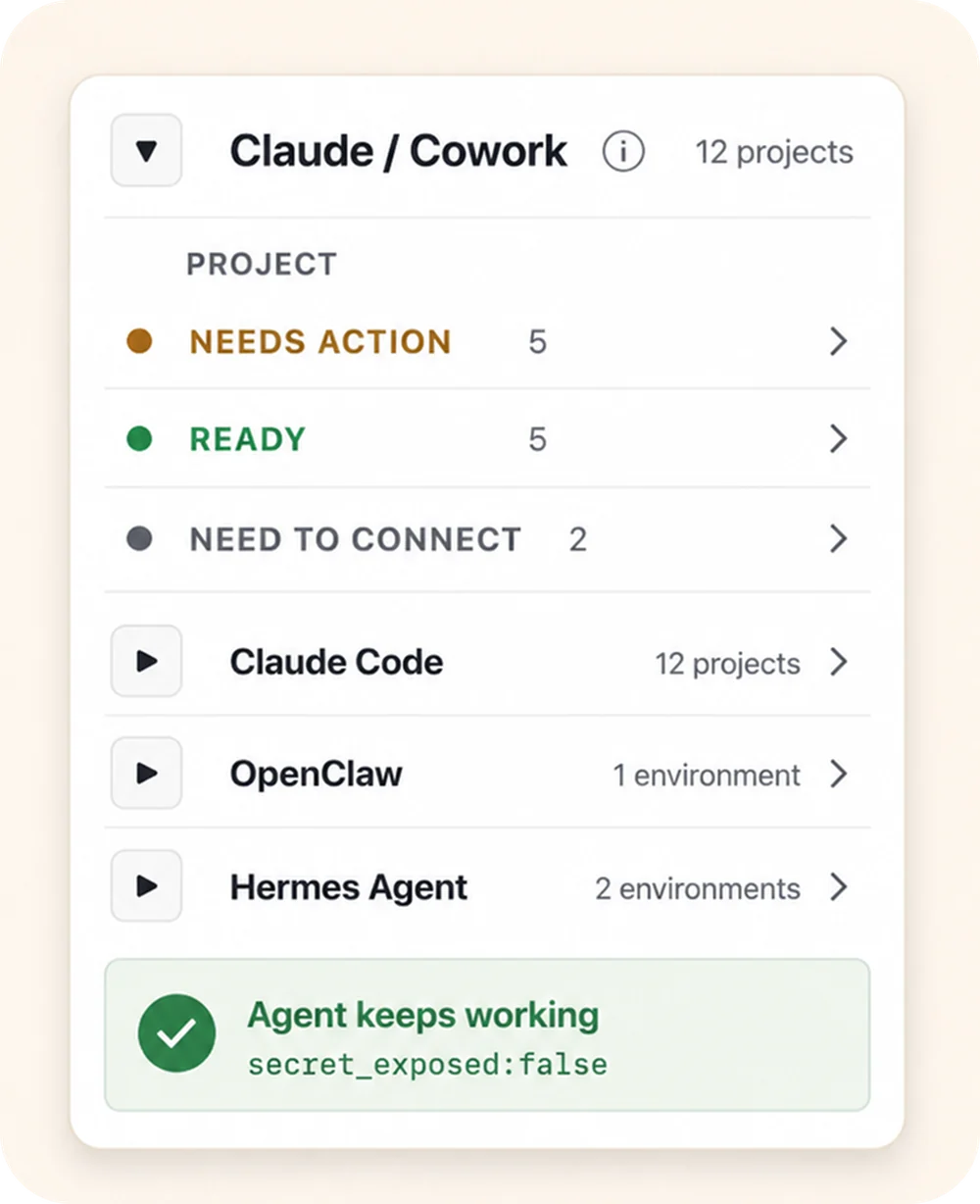
Outloop agent-projects panel: the Claude / Cowork runtime expanded to show per-project status (Needs action, Ready, Need to connect), above the Claude Code, OpenClaw, and Hermes Agent runtimes, with an “Agent keeps working — secret_exposed:false” proof badge.
00

Let agents use approved access

Connect agent projects, then let approved agents request access through Outloop without seeing the raw key.

Agent keeps working secret_exposed:false

Keys stay local Workspaces stay scoped Agents request access, not keys

Marketing APIs your agents already touch

The same approved-access pattern applies to every marketing API an agent uses. A few examples:

Why we think marketing work is heading this way is set out in the AI Agency Manifesto.

  • Google Ads — one agency manager (MCC) login, each workspace pinned to its own client customer ID; a request naming the wrong customer ID is denied before the credential is used. How to connect the Google Ads API → · how resource pinning works →
  • Meta Ads — account reporting and campaign actions without the system-user token ever reaching the agent. How to connect the Meta Ads API →
  • Merchant Center, GA4 & Search Console — product-feed checks, analytics pulls, and search performance, each scoped to the right client property.
  • CRM & data tools — the same pattern covers the rest of the agency stack (Airtable, enrichment, research, email).

Client context, and learning that a human approves

Access is half the problem. The other half is that an agent starting a task for a client usually starts blank — it does not know the brand rules, which logo is the approved one, or what the client has already said not to claim. So the operator re-explains it, every run.

Each client workspace holds its own approved Context: brand and tone guidance, approved references and assets, communication rules, and constraints on what may be claimed. The agent retrieves it before it generates anything. Context is knowledge only — it never grants API permission, and it stays scoped to that one client.

  • Client workspace Context — retrieved before work, versioned, restorable. proven in product
  • Learning receipts with human review — approve, edit, reject, or defer. proven in product
  • An approved lesson improving a later run — seen end to end in a real agency creative workflow. verified in a real workflow
  • Company-wide Context shared across many client workspaces built, broader proof required
  • A lesson updating a Skill — tracked separately from the Context loop. operator-confirmed

Nothing updates itself. The agent proposes a lesson; a person approves it; only then does it become a new Context revision — and revisions can be rolled back. There is no model training, no self-rewriting, and no learning that crosses from one client to another.

Service names are examples for workflow context and are trademarks of their respective owners; no official integration or endorsement is implied. Outloop is the runtime access layer the agent uses — you bring the approved API access.

Keep your vault. Control runtime access.

1Password
macOS Keychain
Infisical
Doppler

Outloop works above Keychain, 1Password, Infisical, Doppler, and other secure backends. It does not replace your vault. It controls which workspace and runtime can use approved access.

  • No API keys uploaded to cloud.
  • No raw key returned to the agent.
  • No .env files required.
  • Wrong-client access is blocked before credential use.

Run more client marketing workflows — safely.

Outloop is available with guided onboarding for AI marketing agencies, operators, and dev shops.

The local-first app is signed with a Developer ID and notarized by Apple, and release v1.1.6 was verified on two Macs on 24 July 2026. See the security model, the broader AI agencies use case, a real anonymized workflow, or pricing.

Start 14-day guided trial
Frequently Asked Questions

AI marketing agencies — FAQ

Ready to get out of the API loop?

Run more client AI workflows without rebuilding API access every time.

Connect API access once and reuse it across every client workspace — instead of rebuilding setup for each new one.

For agencies and operators managing 5 to 100 client workspaces.