



AI agent secrets management · for agencies & operators

AI agent secrets management, without the keys leaving your Mac.

Give agents API access, not your credentials.

Take me out of the damn API loop.

Across many client workspaces, every pasted key and copied .env is another place a secret can leak. Outloop keeps credentials local and lets approved agents use them without ever seeing the raw value.

No keys in prompts. No keys in files. Every attempt audited.

Create your trial. Download the Mac app. Run your first API proof locally.

Guided setup included · API keys stay local · Cancel anytime

outloop secrets management vault stays locked

One access setup Workspace approved Runtime allowed secret_exposed:false

Reuse approved API access across the runtimes your team already uses

One approved access layer for Cowork-style sandboxes, Claude Code, Codex, Hermes, and OpenClaw — without rebuilding setup for every platform.

One credential. The right workspace. Any approved agent runtime. secret_exposed:false

Independent tools. Names and logos belong to their respective owners; Outloop is not affiliated with or endorsed by these projects.

Learn

AI agent API key & secrets management

Last updated:

In short

AI agent API key management — and the broader AI agent secrets management it sits inside — is how you let agents use the APIs they need without ever exposing the raw key to the model, chat, project files, or logs.

For a single agent it is easy. Across many client workspaces, skills, and scheduled tasks it becomes a setup loop: the same key copied into every folder, every copy a place it can leak. A runtime access layer fixes this — the agent requests an approved action, a local broker uses the credential on the wire, and only a redacted result comes back.

Your agents need API access to do real work — read a CRM, send an email, trigger an automation, pull a report. The problem is not that they need access. The problem is how that access is granted today: a human pastes a raw key, and from that moment the secret lives somewhere the agent can read it, copy it, or leak it.

This guide walks through why the usual approaches — pasting keys, .env files, and even a proper secrets manager — break down once agents work across many clients, and what a runtime access layer does differently.

It is never one key. It is every workspace that needs one.

A single agent reaching a single API is a solved problem. Real multi-client work is not that. Every client is its own agent operating environment — its own instructions, skills, scheduled tasks, sandbox limits, and access rules. Each new workspace re-introduces the same question: how does this agent reach that API safely?

So operators end up copying keys, creating .env files, duplicating setup notes, and re-explaining the same access rules — once per client, then again per skill and per scheduled task. That does not scale, and every copy is another surface a secret can leak from.

Three ways people manage agent keys today — and where each breaks

1. Paste the key into the agent

The fastest fix and the most fragile. Once a raw key is in the chat, it is in the transcript, often in logs, and sometimes in the wrong client's context. The agent now holds a secret it has no reason to hold.

2. Put keys in .env files

.env works when one developer runs one app. It breaks when an autonomous agent can read files, run shell commands, write logs, and work across many client folders — and when the same key gets copied into folder after folder. Why .env files break down for agents →

3. Pull the key from a vault at runtime

Better for storage — and you should absolutely keep a vault. But a vault answers a request by returning the secret value to the caller. With agents, the caller is the process you are trying to protect against. Storage is solved; runtime use is not. Why a secrets manager isn't enough →

The shift: from owning the key to requesting the action

All three approaches share one assumption — that to use an API, the agent must hold the key. A runtime access layer drops that assumption. The agent asks for an approved action, not a credential. A local broker checks policy, uses the credential on the wire, and hands back a redacted result. The capability is used; the secret stays local.

A useful way to put it: if your agent can read your API keys, your trust boundary is in the wrong place. This pattern — a local decision point that applies the credential on the agent's behalf — is increasingly called a credential broker for AI agents; Outloop's name for its implementation is an agent access router.

The stakes are measurable. GitGuardian found Claude Code-assisted commits leaking secrets at roughly twice the baseline rate (3.2% vs 1.5%, State of Secrets Sprawl 2026), and Gartner — as cited by WorkOS — predicts that by 2028, 90% of organizations that let humans share credentials with AI agents will need significant investment to undo that design. Sources and more numbers: AI agent credential leak statistics.

How a request flows when the agent never holds the key

  1. 01

    Agent request

    The agent asks for an approved action or alias — not a raw key.

  2. 02

    Policy & tenant check

    Outloop checks project, tenant identity, and runtime policy before anything runs.

  3. 03

    Local broker

    On approval, the local broker uses the credential on the wire to perform the call.

  4. 04

    Redacted result

    The agent receives a sanitized, non-secret result. Raw values never enter its context.

  5. 05

    Audit log

    Every attempt is written to a redacted local audit — decision, tenant, service.

The agent never sees the credential. A wrong-tenant request is denied at the policy check, before any backend call.

That single change addresses the whole pain chain at once:

  • Agents request actions, not raw keys — so they stop asking you to paste one.
  • Secrets stay local in your existing backend; no raw keys scattered across project files.
  • Wrong-tenant access is blocked by policy before any backend call runs.
  • Every attempt is written to a redacted local audit — one trail across every client.

Keep reading

Where real client work breaks

Pasted keys are only one of the five places real client work breaks on access:

How it works

How you reuse API access in 3 steps

Add it once. Approve the workspace. Let the agent use it safely.

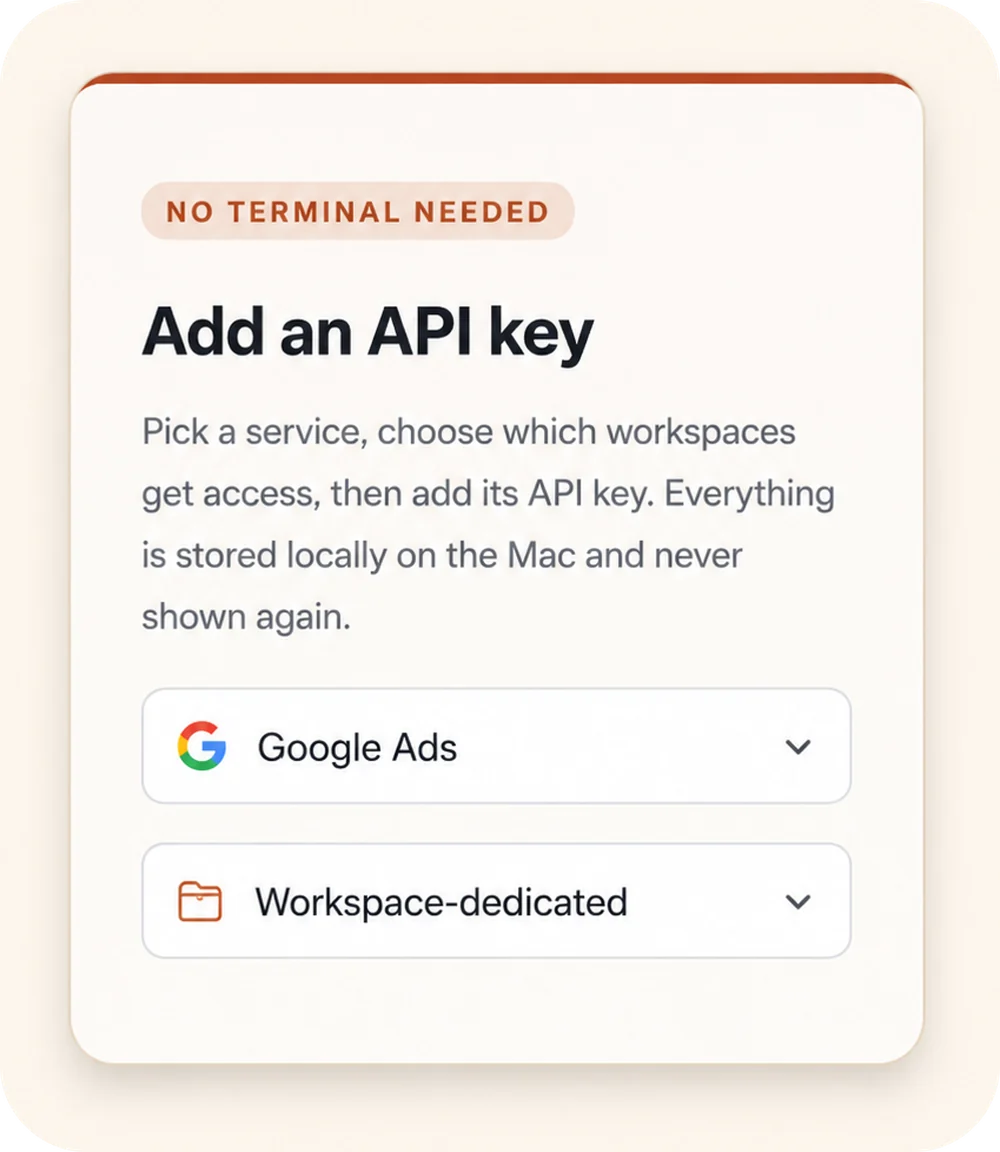
Outloop “Add an API key” panel: a “No terminal needed” badge, a service picker set to Google Ads, and a Workspace-dedicated access selector.
00

Add API access once

Choose a service, select the workspaces that should get access, and store the credential locally on the Mac.

Keys stay local
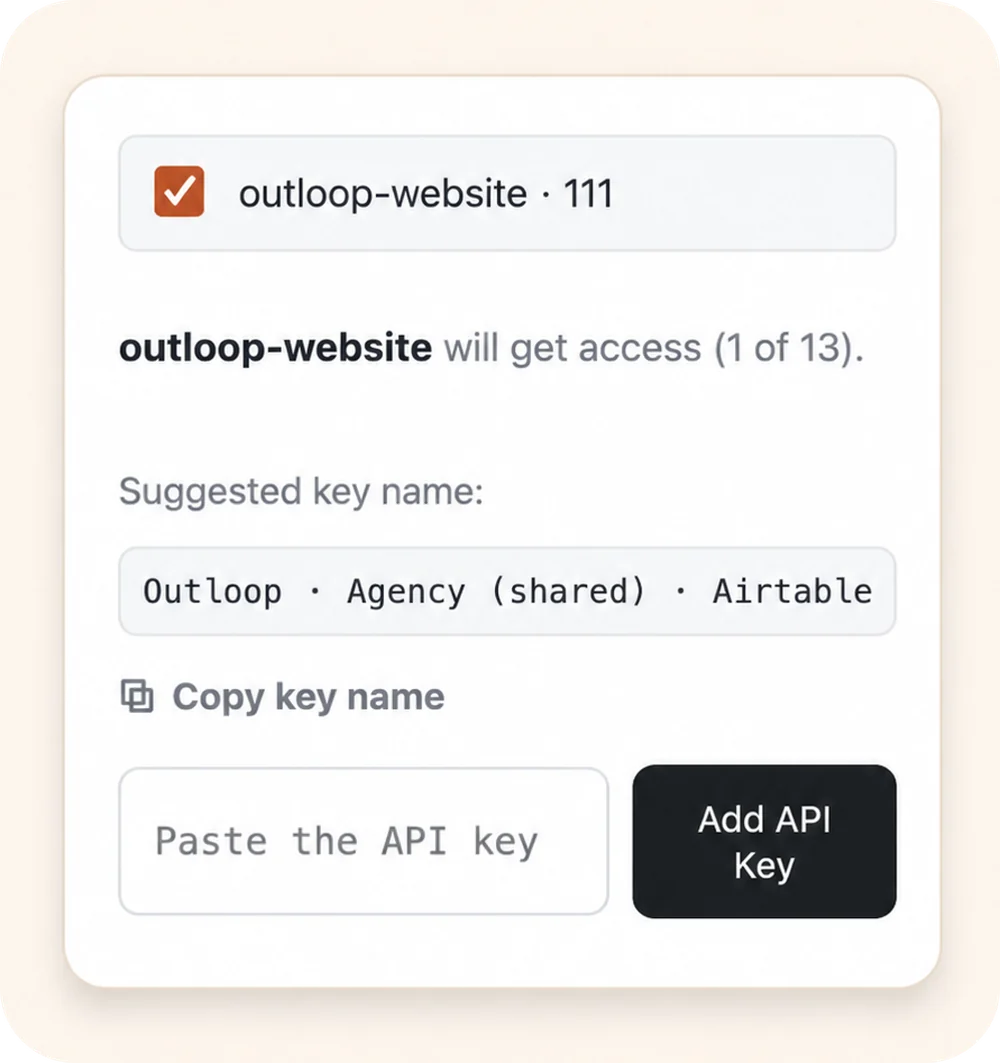
Outloop workspace approval: the outloop-website workspace selected to receive access, with a suggested key name and an empty “Paste the API key” field.
00

Approve the right workspace

Grant access only to the client workspace that should use it. Each workspace stays isolated.

Wrong-client access blocked
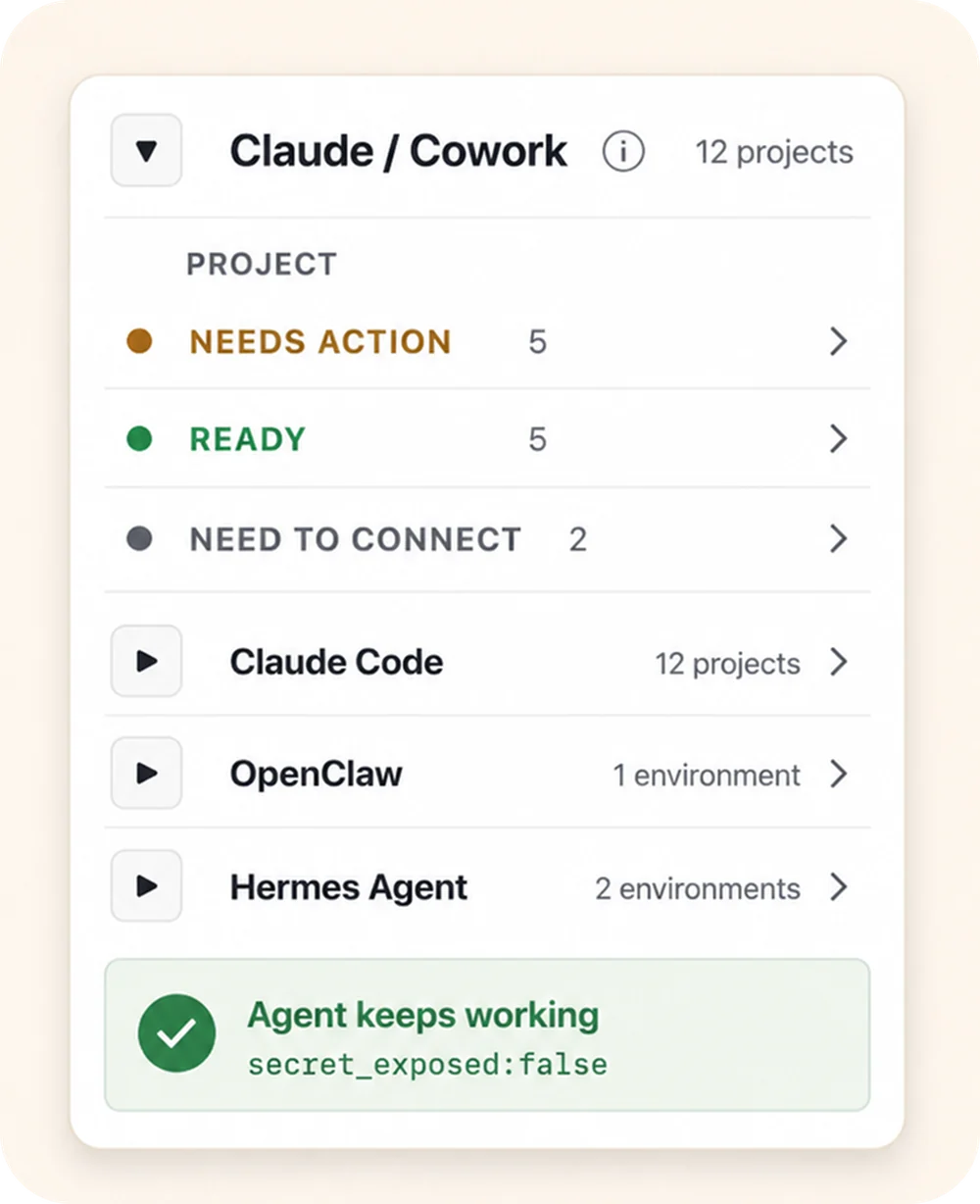
Outloop agent-projects panel: the Claude / Cowork runtime expanded to show per-project status (Needs action, Ready, Need to connect), above the Claude Code, OpenClaw, and Hermes Agent runtimes, with an “Agent keeps working — secret_exposed:false” proof badge.
00

Let agents use approved access

Connect agent projects, then let approved agents request access through Outloop without seeing the raw key.

Agent keeps working secret_exposed:false

Keys stay local Workspaces stay scoped Agents request access, not keys

Agency workflow proof

Built from real agency API workflows.

Outloop was built while running real client-agent workflows across ads, CRM, data, file, reporting, and automation APIs.

The lesson was simple: agencies don't need another place to paste keys. They need one approved access layer that lets agents work across client workspaces safely.

Explore agency API workflows
Google Ads Campaign checks
Meta Ads Account reporting
Merchant Center Product feed review
Airtable CRM & ops data
Google Drive Client asset folders
Gmail Inbox workflows
Apify Data collection
Firecrawl Web research

Example services shown for workflow context. Logos and names are trademarks of their respective owners; no official integration or endorsement is implied.

Keep your vault. Control runtime access.

1Password
macOS Keychain
Infisical
Doppler

Outloop works above Keychain, 1Password, Infisical, Doppler, and other secure backends. It does not replace your vault. It controls which workspace and runtime can use approved access.

  • No API keys uploaded to cloud.
  • No raw key returned to the agent.
  • No .env files required.
  • Wrong-client access is blocked before credential use.

Let agents use the API without holding the key.

Outloop is available with guided onboarding for AI agencies, operators, and dev shops.

The local-first app is signed with a Developer ID and notarized by Apple, and release v1.1.6 was verified on two Macs on 24 July 2026. See the security model, why it's not a vault, or how it works for AI agencies.

Start 14-day guided trial
Frequently Asked Questions

AI agent API key & secrets management — FAQ

Ready to get out of the API loop?

Run more client AI workflows without rebuilding API access every time.

Connect API access once and reuse it across every client workspace — instead of rebuilding setup for each new one.

For agencies and operators managing 5 to 100 client workspaces.