



AI agent security · for agencies running agents across clients

AI agent security, without handing agents your API keys.

Lock down the credential layer of every client workspace.

Take me out of the damn API loop.

Outloop is the local-first runtime access layer for AI agents. Agents request approved actions across Cowork, Claude Code, and Hermes — they never see the raw key, and wrong-client access is blocked by policy.

No copied keys. No .env files. Every attempt audited.

Create your trial. Download the Mac app. Run your first API proof locally.

Guided setup included · API keys stay local · Cancel anytime

outloop agent security vault stays locked

One access setup Workspace approved Runtime allowed secret_exposed:false

Reuse approved API access across the runtimes your team already uses

One approved access layer for Cowork-style sandboxes, Claude Code, Codex, Hermes, and OpenClaw — without rebuilding setup for every platform.

One credential. The right workspace. Any approved agent runtime. secret_exposed:false

Independent tools. Names and logos belong to their respective owners; Outloop is not affiliated with or endorsed by these projects.

Learn · Agent loops & runtime access

What is AI agent security?

Last updated:

In short

AI agent security — sometimes called agentic AI security — is the set of controls that keep an autonomous agent from being manipulated, leaking data, exposing credentials, acting on the wrong account, or operating without audit.

It is not one product. The field splits into distinct layers: input security (prompt injection), output security (data exfiltration), credential security (what keys the agent can reach), action security (which account it acts on), and audit. Each layer needs its own control — a tool that covers one slice does not cover the others.

The five layers of AI agent security

When an agent moves from generating text to taking actions through tools and APIs, the attack and failure surfaces split into layers that fail independently:

  • 1.Input security — prompt injection. Manipulated content makes the agent follow instructions its operator never gave. Defended at the model and tool-design layer.
  • 2.Output security — data exfiltration. Sensitive data leaves through responses, generated files, or outbound calls. Defended with output filtering and egress control.
  • 3.Credential security — exposure of keys. Raw API keys sit in prompts, .env files, and project folders the agent reads, runs, and logs from. Defended by keeping the key out of agent context entirely — AI agent API key management.
  • 4.Action security — wrong-tenant use. The right credential used on the wrong client account. Often worse than a leak, because every call succeeds — wrong-client access in agent loops.
  • 5.Audit — knowing what ran. Without a per-attempt record, you cannot answer what the agent did, with which credential, for which client.

Why one tool never covers all five

A framing many practitioners use: treat the agent as an untrusted user — give it restricted privileges scoped to the exact task, never the credentials themselves. The layers fail in different places: input security fails inside the model conversation, credential security fails in the filesystem and logs, action security fails at the API boundary. A secrets manager covers secrets at rest and nothing after it returns the value. A model-side guardrail says nothing about which tenant a key touches. Treating any single tool as "AI agent security" leaves the other layers open.

AI agent credential security

Credential security is layer 3 above, but it is worth breaking apart on its own, because "credential risk" actually covers several distinct failure modes:

  • Direct secret exposure — a raw key sitting in a prompt, a .env file, or a project folder the agent reads.
  • Prompt-injection exfiltration — manipulated content tricks the agent into echoing a credential it holds into its output, even without a direct file read.
  • Wrong-account access — the right credential, used on the wrong client's account, often the costliest failure because every call succeeds.
  • Over-broad credentials — a key scoped for far more than the task needs, so one leak or one mistake reaches everything that key can touch.
  • Missing audit — no per-attempt record of which agent used which credential, for which client, so incidents are hard to reconstruct.
  • Unclassified destructive actions — a brokered credential can still be misused if the action it authorizes is itself irreversible (delete, archive, hard-remove); destructive actions need their own explicit policy gate, off by default, separate from ordinary read/write approval.

Runtime authorization and brokered credential use address the first four: the agent never holds the raw value (closing direct exposure and most injection-exfiltration paths for that credential), a policy check runs before every use (closing wrong-account access and constraining over-broad scope to approved actions only), and every attempt is written to a redacted log (closing the audit gap). This is the credential broker pattern applied to the credential-security layer specifically.

Outloop does not claim to solve all five layers of AI agent security. It solves the credential routing, runtime access, workspace separation, account pinning, audit, redaction, and destructive-action-gate layer — prompt-injection detection and output filtering remain separate controls.

Where a runtime access layer fits — and where it doesn't

A runtime access layer covers layers 3, 4, and 5: the agent requests an approved action instead of holding a key, tenant policy blocks wrong-client use before any backend call, and every attempt is written to a redacted local audit log. That is the slice Outloop owns — and the honest boundary of it: Outloop does not detect prompt injection, filter model outputs, or replace your vault. It assumes you keep a vault for storage and adds control over runtime use, which for multi-client agent teams is where the practical risk concentrates. See the security model, the credential broker pattern, and how this plays out for AI agencies.
Where real client work breaks

Credential exposure is one of five access failures agencies hit when agents move from demos to real client work:

How it works

How you reuse API access in 3 steps

Add it once. Approve the workspace. Let the agent use it safely.

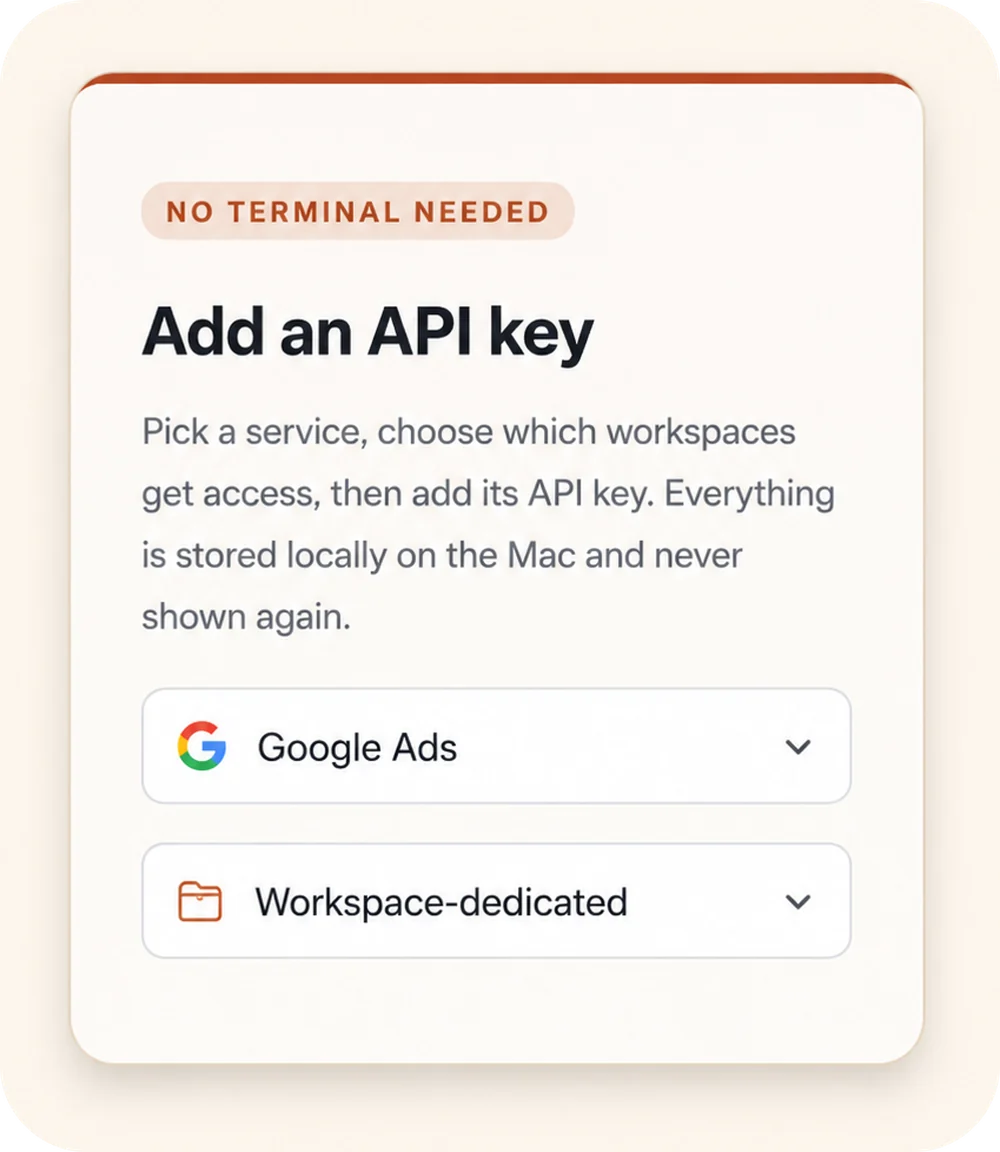
Outloop “Add an API key” panel: a “No terminal needed” badge, a service picker set to Google Ads, and a Workspace-dedicated access selector.
00

Add API access once

Choose a service, select the workspaces that should get access, and store the credential locally on the Mac.

Keys stay local
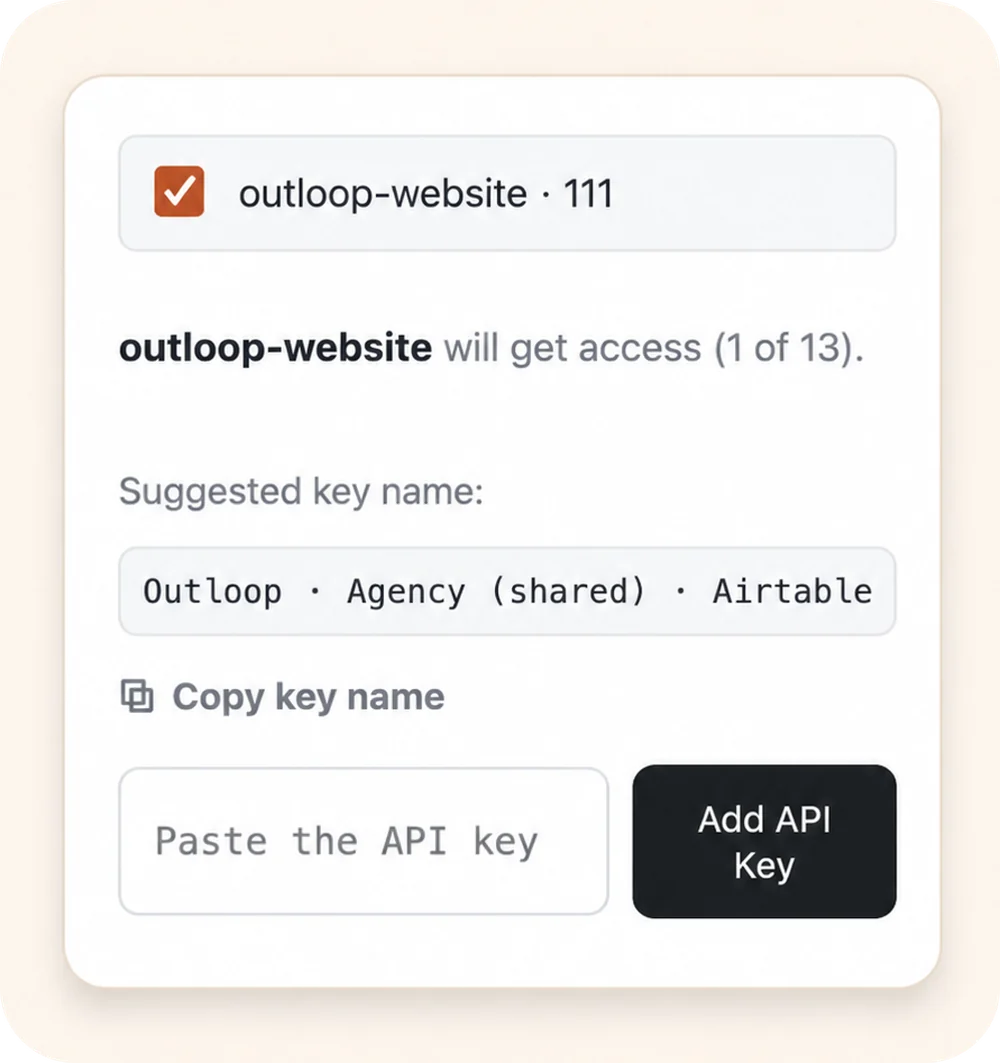
Outloop workspace approval: the outloop-website workspace selected to receive access, with a suggested key name and an empty “Paste the API key” field.
00

Approve the right workspace

Grant access only to the client workspace that should use it. Each workspace stays isolated.

Wrong-client access blocked
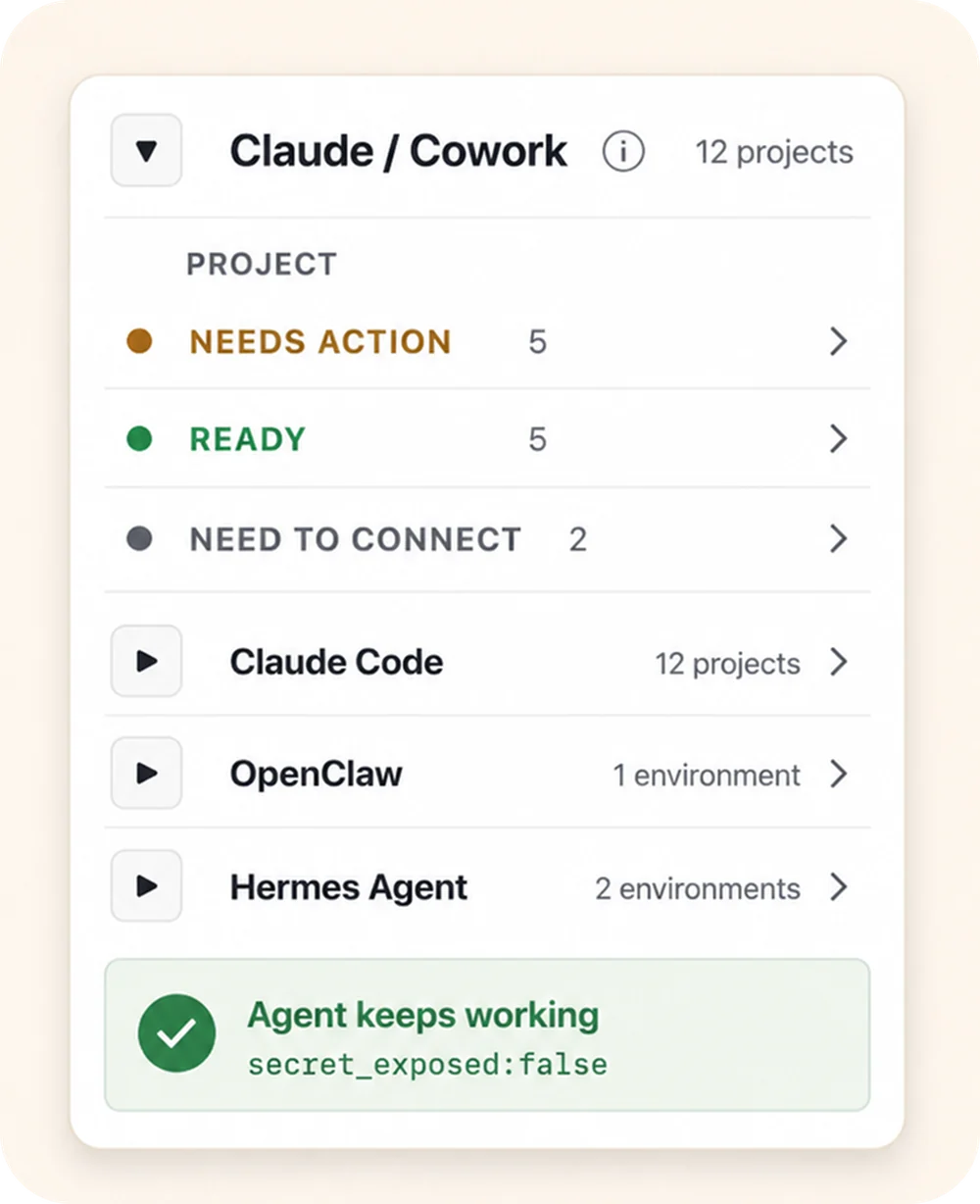
Outloop agent-projects panel: the Claude / Cowork runtime expanded to show per-project status (Needs action, Ready, Need to connect), above the Claude Code, OpenClaw, and Hermes Agent runtimes, with an “Agent keeps working — secret_exposed:false” proof badge.
00

Let agents use approved access

Connect agent projects, then let approved agents request access through Outloop without seeing the raw key.

Agent keeps working secret_exposed:false

Keys stay local Workspaces stay scoped Agents request access, not keys

Agency workflow proof

Built from real agency API workflows.

Outloop was built while running real client-agent workflows across ads, CRM, data, file, reporting, and automation APIs.

The lesson was simple: agencies don't need another place to paste keys. They need one approved access layer that lets agents work across client workspaces safely.

Explore agency API workflows
Google Ads Campaign checks
Meta Ads Account reporting
Merchant Center Product feed review
Airtable CRM & ops data
Google Drive Client asset folders
Gmail Inbox workflows
Apify Data collection
Firecrawl Web research

Example services shown for workflow context. Logos and names are trademarks of their respective owners; no official integration or endorsement is implied.

Keep your vault. Control runtime access.

1Password
macOS Keychain
Infisical
Doppler

Outloop works above Keychain, 1Password, Infisical, Doppler, and other secure backends. It does not replace your vault. It controls which workspace and runtime can use approved access.

  • No API keys uploaded to cloud.
  • No raw key returned to the agent.
  • No .env files required.
  • Wrong-client access is blocked before credential use.

Secure the credential layer of your agent operations.

Outloop is available with guided onboarding for AI agencies, operators, and dev shops.

The Mac app is signed with a Developer ID and notarized by Apple; release v1.1.6 was verified on two Macs on 24 July 2026.

Start 14-day guided trial
Frequently Asked Questions

AI agent security — FAQ

Ready to get out of the API loop?

Run more client AI workflows without rebuilding API access every time.

Connect API access once and reuse it across every client workspace — instead of rebuilding setup for each new one.

For agencies and operators managing 5 to 100 client workspaces.