Guides · Setup guides
Connect any API to Outloop — and let an agent do the setup
Last updated:
In short
A Custom API is how Outloop connects a provider that has no built-in connector — you declare the operations an agent may call, and Outloop performs them with a credential the agent never sees.
Tell your agent which service to connect and the Outloop Custom API Setup Skill researches the provider, configures the service in the visible Outloop dashboard, and takes it through verification. When a credential is required, Outloop asks you to enter it directly. Or configure it yourself in nine steps below.
Tell your agent which service you want to connect.
The Outloop Custom API Setup Skill researches the provider, configures it directly in Outloop, validates the connection, and takes the setup through verification.
When a credential is required, Outloop asks you to enter it directly.
The agent never sees the secret.
Two ways to set this up
Both paths end in the same place: an approved service in one workspace, with declared operations, a credential you typed into Outloop, and one real provider operation that completed. What differs is who does the clicking.
- A.Let the Setup Skill do it — recommended. You name the service and the outcome; the agent researches the provider and operates the Outloop dashboard. You step in once, to type the credential.
- B.Guided manual setup. The nine steps below, in order. Worth reading even if you take path A — it is the same nine steps, and it is how you check the agent's work.
A. Let the Setup Skill do it
The Outloop Custom API Setup Skill is a downloadable Agent Skill. One package, two platform labels — Claude Code and Codex share the Agent Skills folder format, and only the install directory differs.
Download it from the Skill library →
1. Unpack it into your runtime's skills folder
Claude Code:
Personal   ~/.claude/skills/outloop-custom-api-setup/
Project    .claude/skills/outloop-custom-api-setup/
Invoke     /outloop-custom-api-setup
Codex:
Personal   ~/.codex/skills/outloop-custom-api-setup/   (also ~/.agents/skills/)
Project    .agents/skills/outloop-custom-api-setup/
Invoke     $outloop-custom-api-setup
2. Register the Outloop Managed Browser once
The Skill works by operating the visible Outloop dashboard in a browser, so the runtime needs a browser path. Register the Managed Browser MCP server once per runtime:
agent-secrets browser mcp
3. Say which service to connect
Open the runtime in the client folder and say, in your own words:
Connect <service> to Outloop.
The Skill asks one question back — which service, and what should the agent be able to do with it — then researches the provider's documentation and starts configuring. The outcome matters: "read our documents" and "create and send documents" produce different operation sets, and the second is not finished by configuring the first.
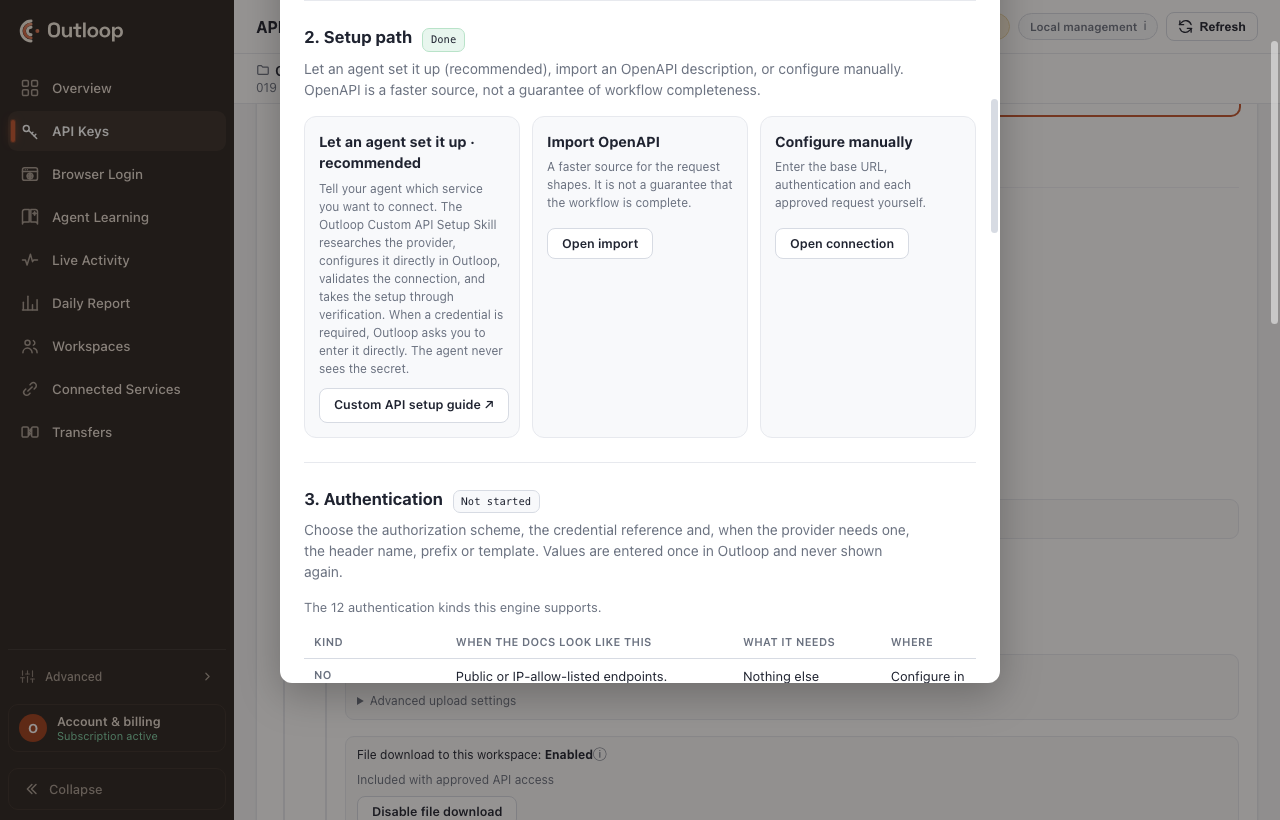
Stored · never shown state. It never asks for the value in chat, never reads the
field, and never places it in context, logs, files or screenshots.
What the Skill is not allowed to do
On the Outloop dashboard origin, a set of browser tools is blocked by name — in both browser vocabularies. The Skill can see and click the dashboard; it cannot run code in it, read its network traffic or console, upload a file to it, or photograph it.
- →Managed Browser:
browser_run_code,browser_evaluate,browser_network_request,browser_network_requests,browser_take_screenshot,browser_file_upload,browser_console_messages,browser_pdf_save,browser_install,browser_start_tracing,browser_stop_tracing. - →Claude in Chrome:
javascript_tool,read_network_requests,read_console_messages,file_upload, andcomputer screenshot.
1. What are you connecting?
Name the provider and what the agent should accomplish. The outcome decides which operations count as complete — it is the thing every later step is measured against, and it is why "connect the API" is not a finishable request on its own.
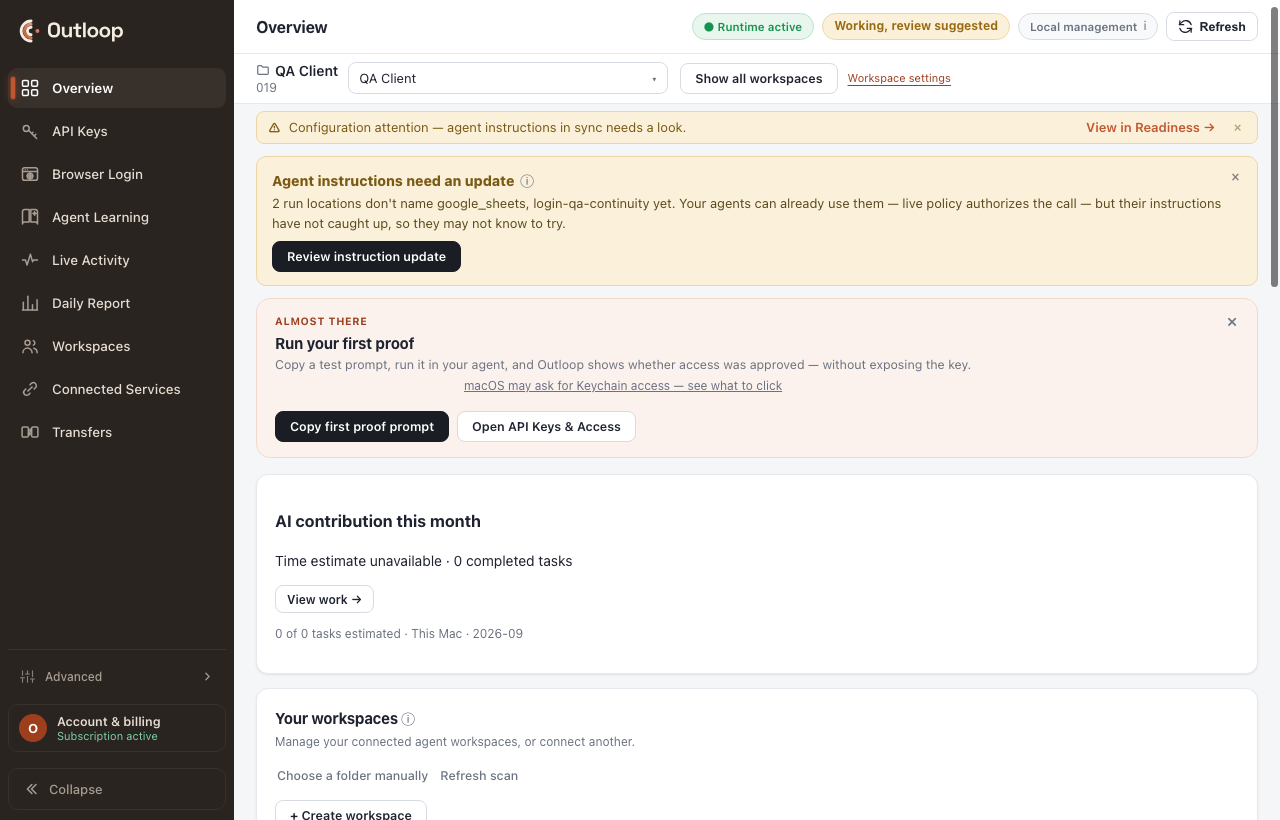
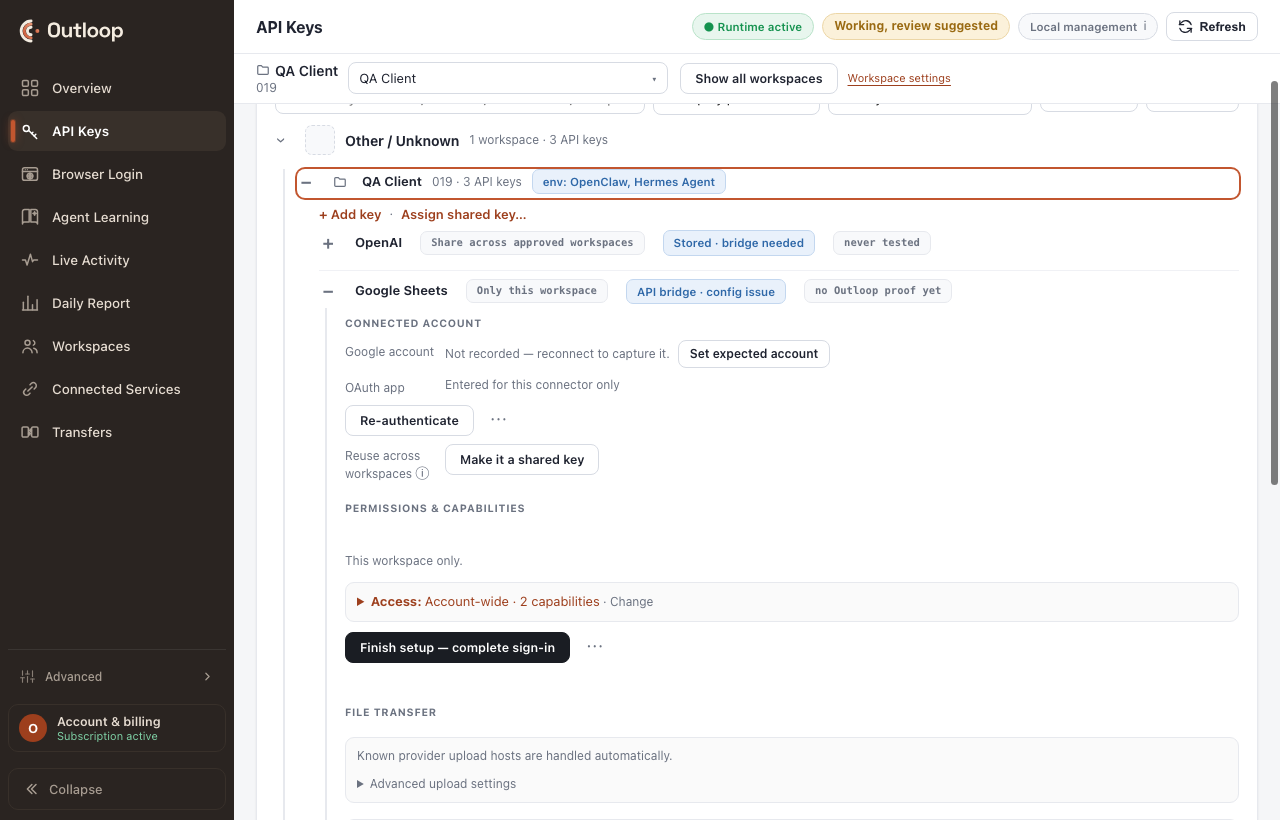
2. Setup path
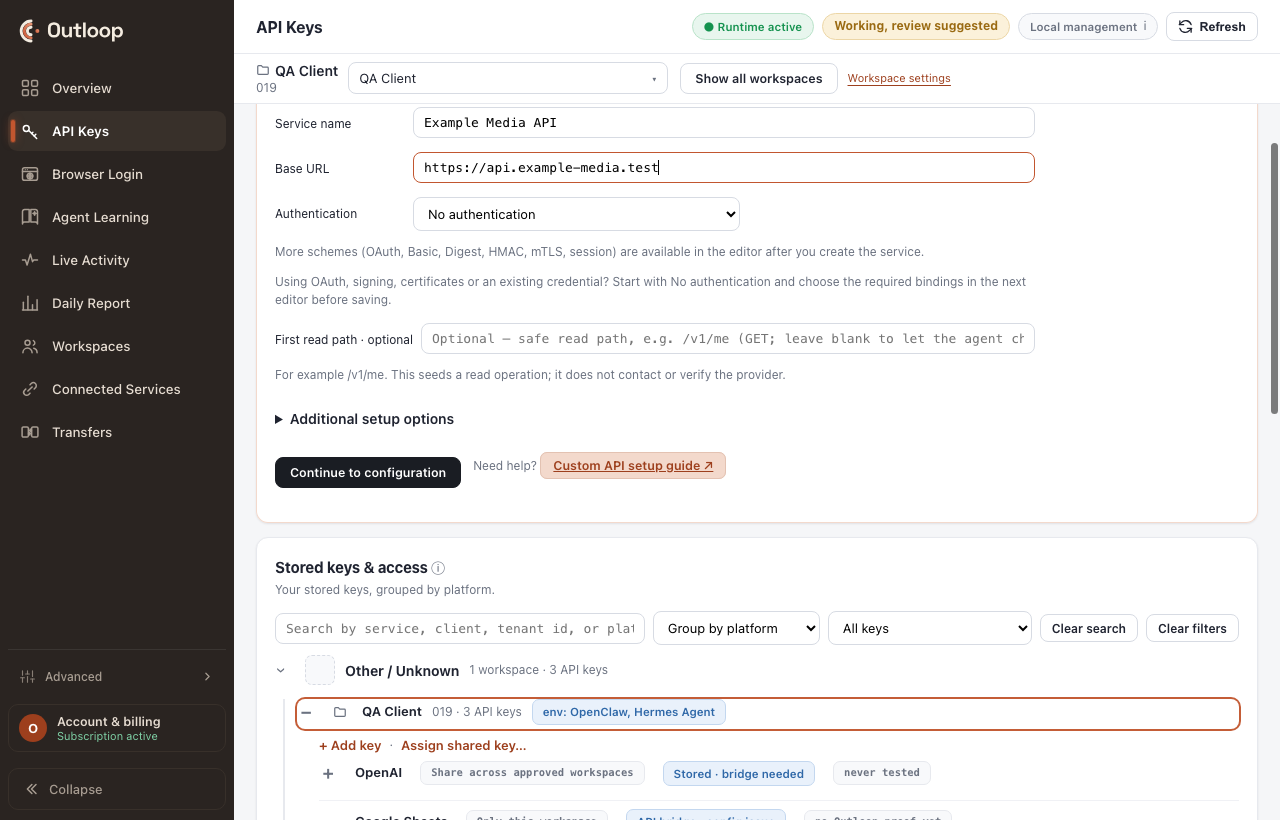
Three ways in: let an agent set it up (recommended), import an OpenAPI description, or configure manually.
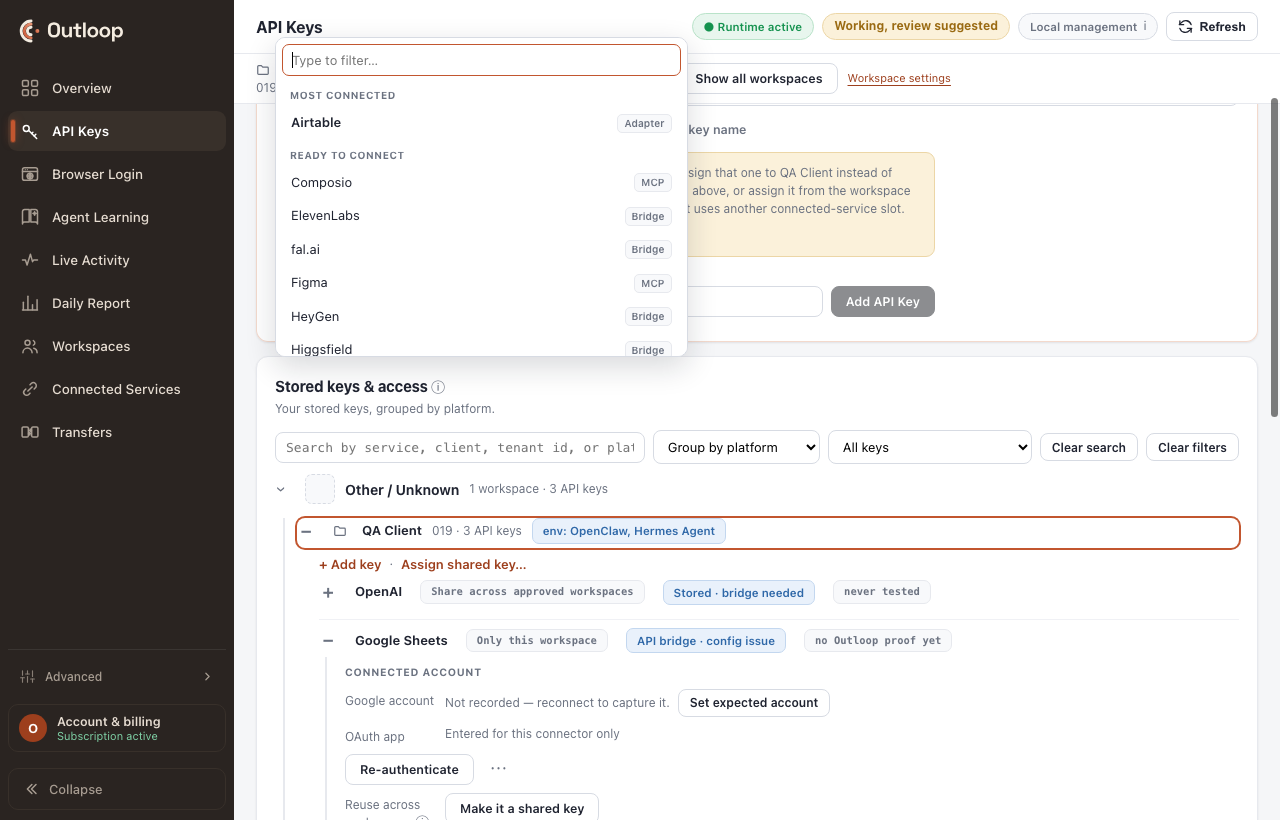
Then the creation card: a service name and the documented HTTPS base URL, including the version prefix the provider publishes. A missing version prefix is the single most common cause of a 404 on every path.
3. Authentication
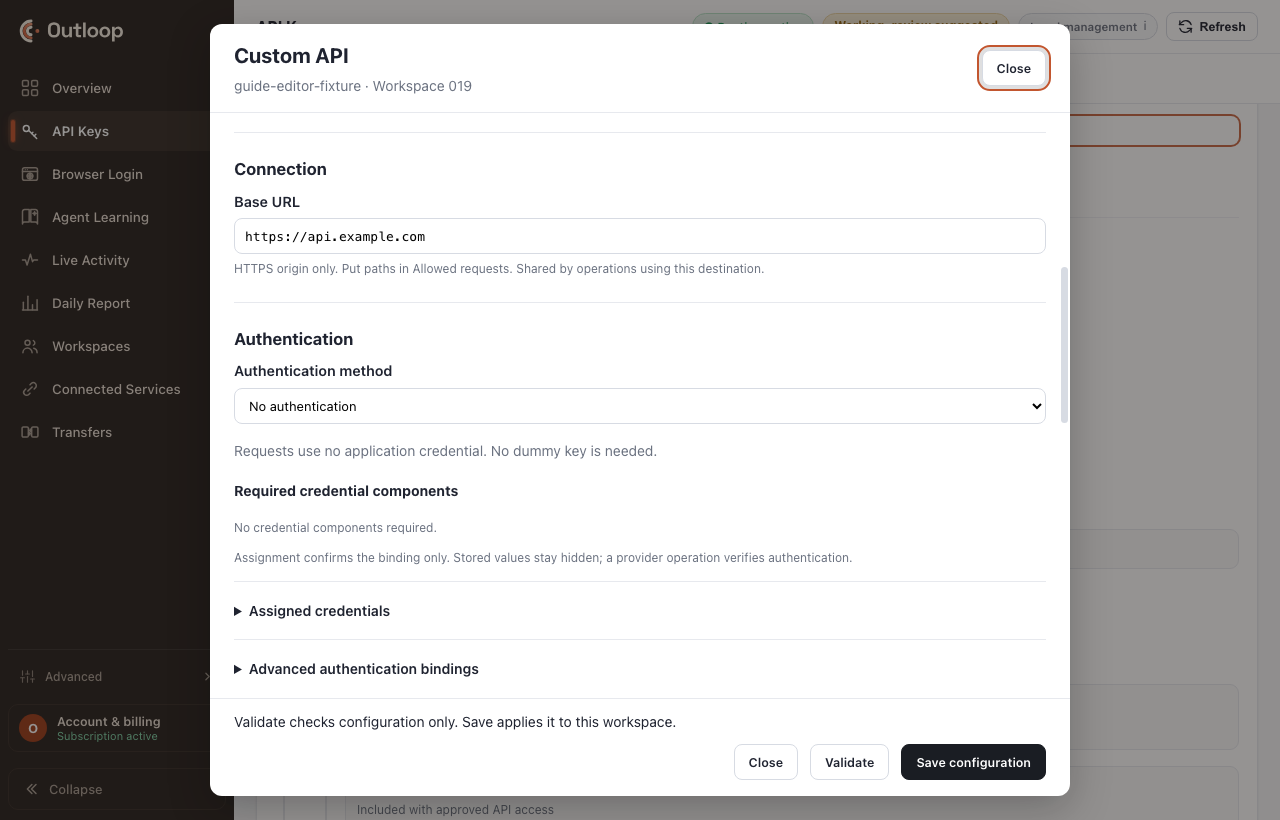
Choose the authorization scheme, the credential reference and — when the provider needs one — the header name, prefix or template. Values are entered once in Outloop and never shown again.
The twelve authentication kinds
The "use it when" column is deliberately the question you can answer from the provider's own documentation. Kinds marked JSON-only are configured in Advanced JSON today — there is no form for them yet, and saying otherwise would waste your afternoon.
| Kind | Use it when | What it needs | JSON-only |
|---|---|---|---|
| No authentication | Public or IP-allow-listed endpoints. | — | |
| Bearer token | The docs say an Authorization header carrying “Bearer <token>”. | Credential. | |
| API key / custom header | The docs name a header such as X-API-Key, or a prefixed Authorization value such as “API-Key …” or “Key <id>:<secret>”. | Credential, header name, prefix, template or parts. | |
| API key in query parameter | The docs put the key in the URL, for example ?api_key=… | Credential, parameter name. | |
| Basic · username and password | The docs say HTTP Basic; the username is non-secret and the password is the credential. | Username, password credential. | |
| Credential in request body | The provider expects the key inside a JSON or form field. | Credential, field pointer. | |
| OAuth · refresh token | You hold a long-lived refresh token and the provider exchanges it at a token endpoint. | Refresh credential, client credentials, token endpoint. | Advanced JSON |
| OAuth · client credentials | An application (not a user) obtains an access token with a client id and secret. | Client id credential, client secret credential, token endpoint. | Advanced JSON |
| Digest · challenge authentication | The provider answers 401 with a WWW-Authenticate: Digest challenge. | Username, password credential, probe operation. | Advanced JSON |
| HMAC / request signing | Requests must be signed (RFC 9421, AWS SigV4 or a documented recipe). | Signing credential, signing recipe. | Advanced JSON |
| mTLS · client certificate | The provider requires a client certificate; it can accompany another kind. | Certificate credential, private key credential. | Advanced JSON |
| Session · login then reuse | A login call returns a session value reused on later calls — common with SOAP. | Login operation, capture pointer, reuse rule. | Advanced JSON |
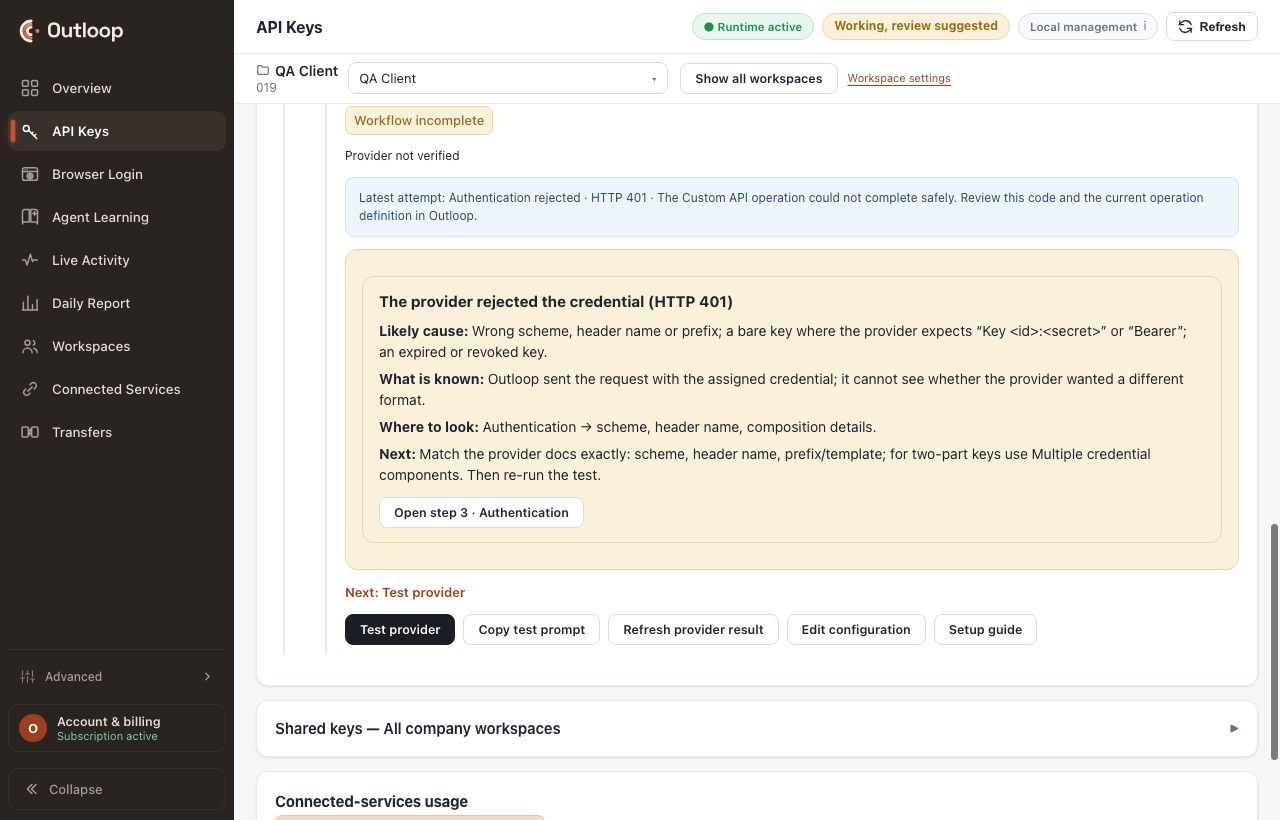
Authorization: API-Key <key> or Key <id>:<secret>,
sending the value bare gets a 401 — and the natural next move, asking the provider for a new key, is exactly wrong.
The key was fine; the composition was not. Use the value template, or
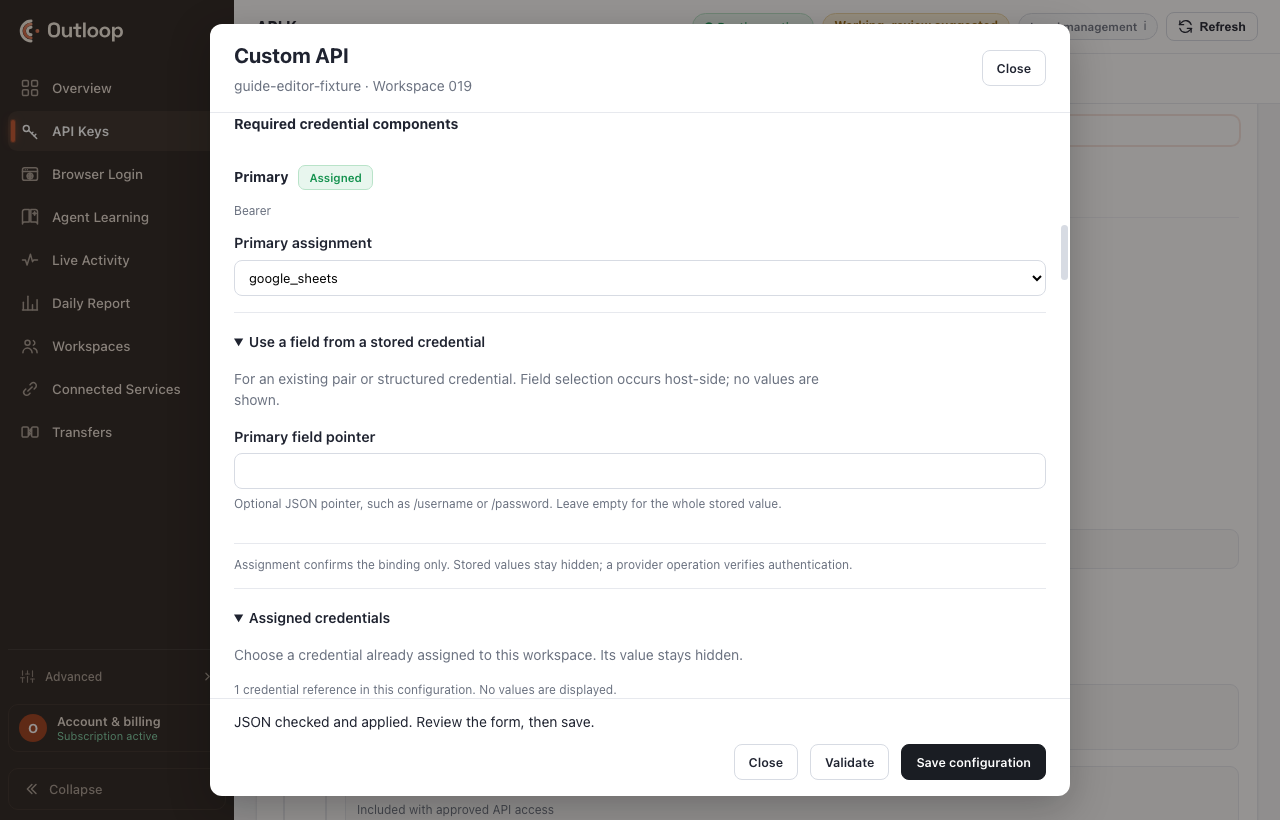
Multiple credential components for a two-part value.
The credential reference, and the one place a credential is typed
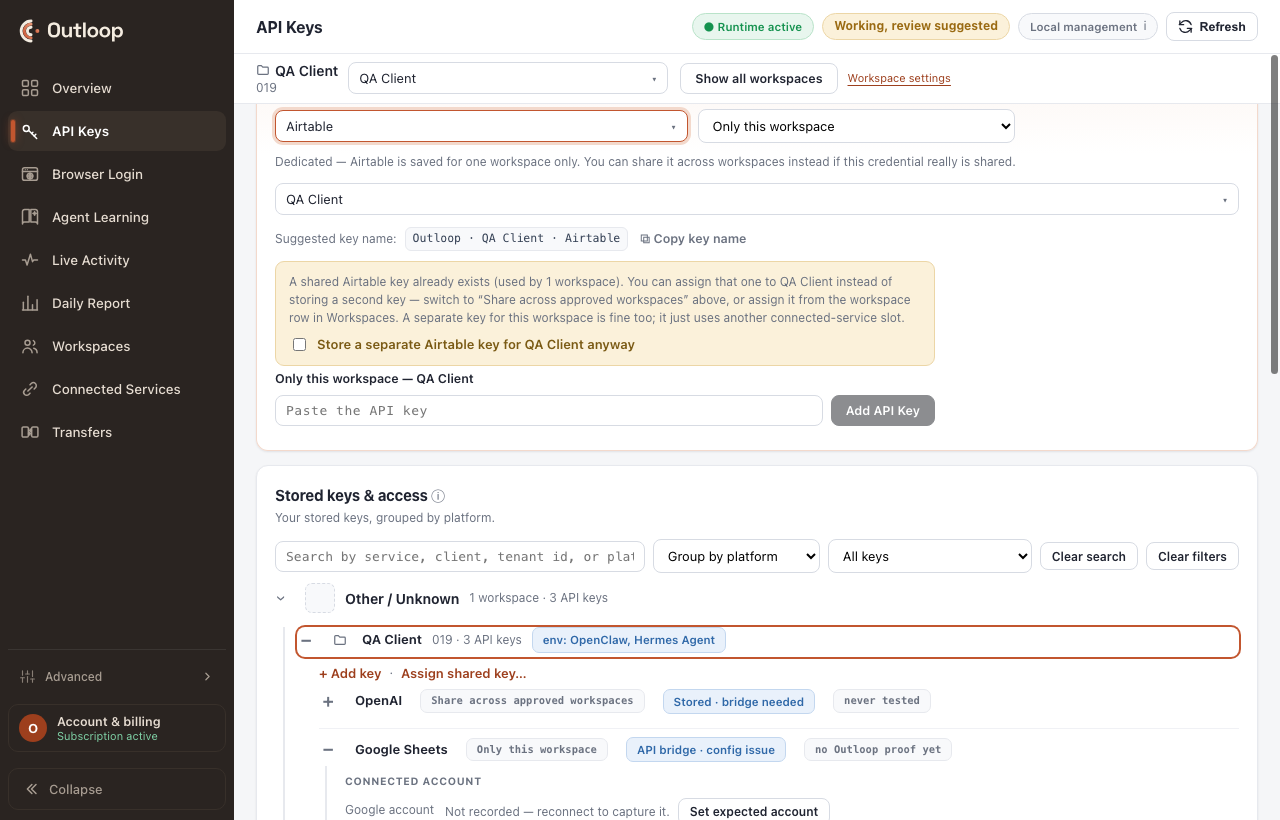
The configuration names a reference — a name standing for a value. The value itself is entered once, in Outloop, by a person, and is never displayed again.
4. Workflow readiness
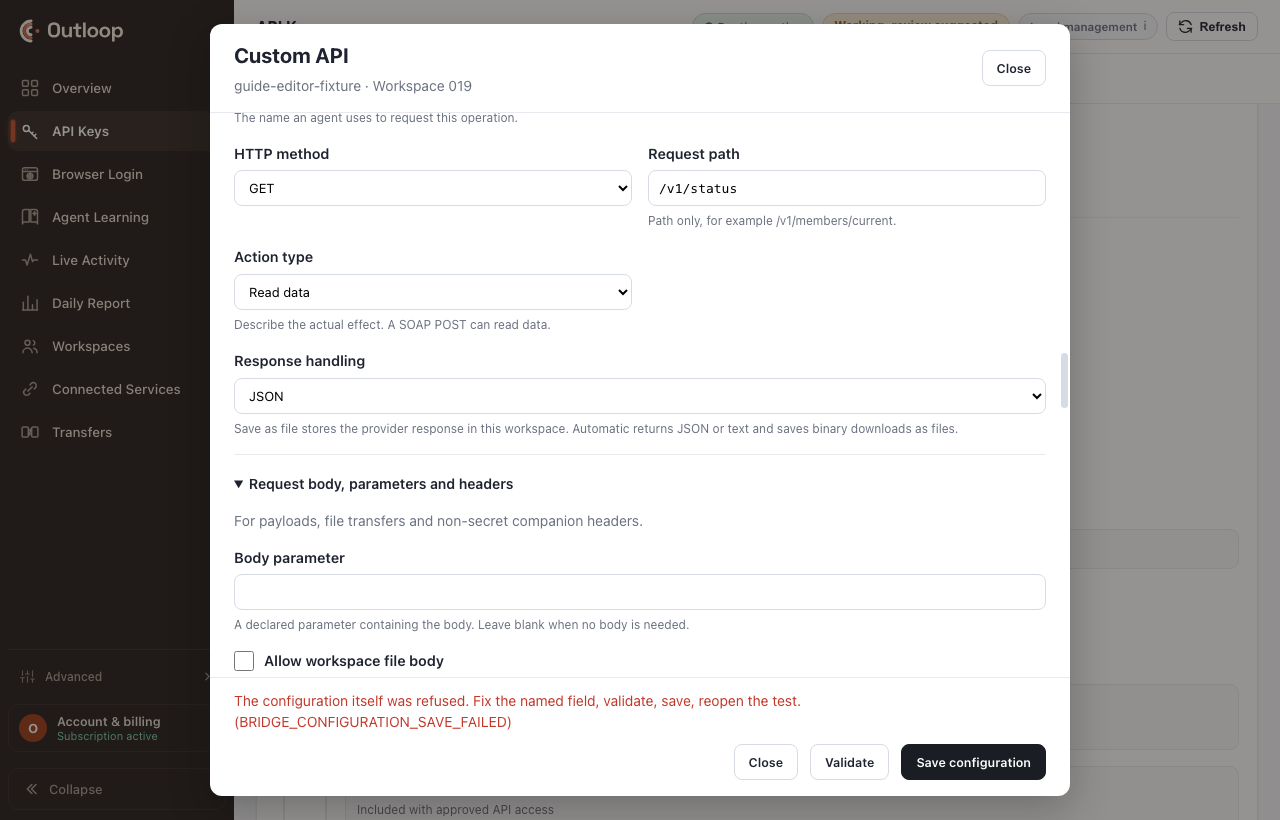
Operations are approved request shapes: method, path, effect, parameters, response handling. Nothing outside the grid can be called, by anyone.
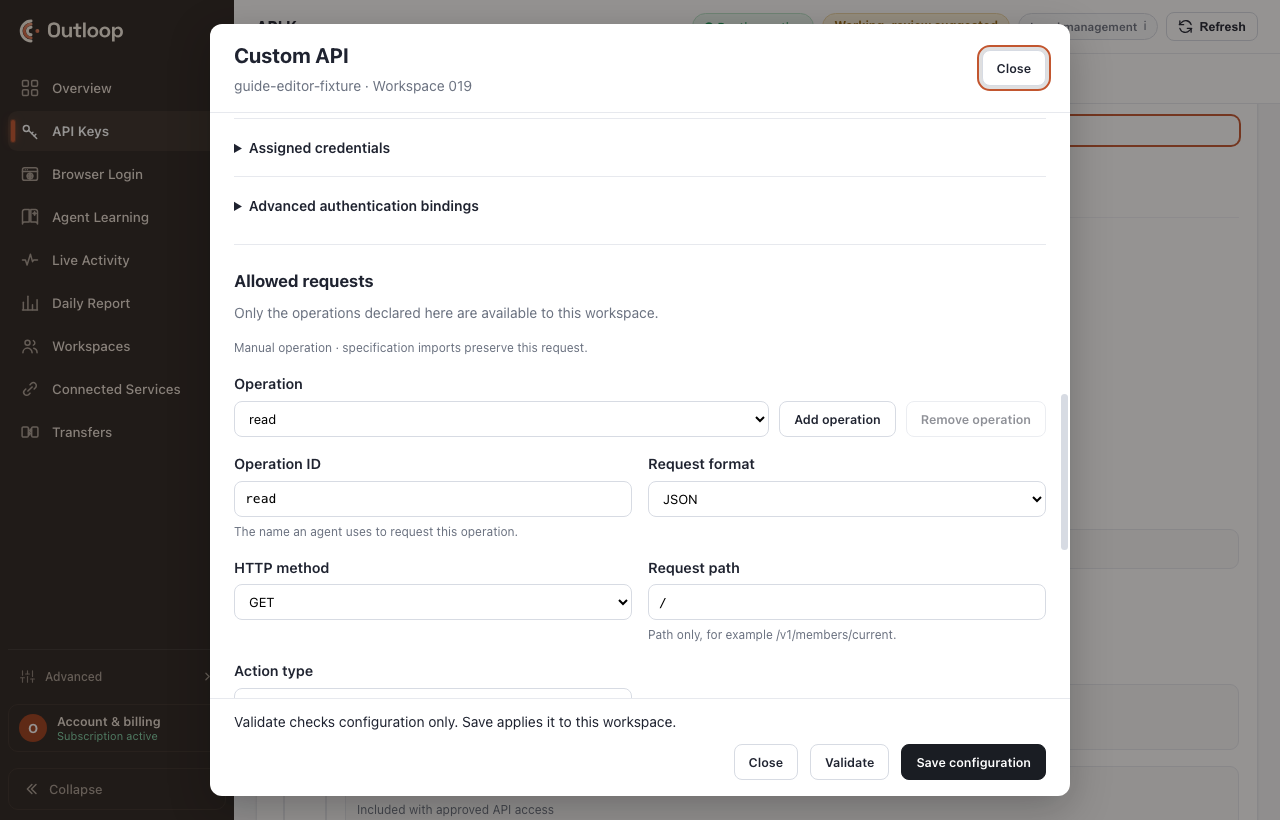
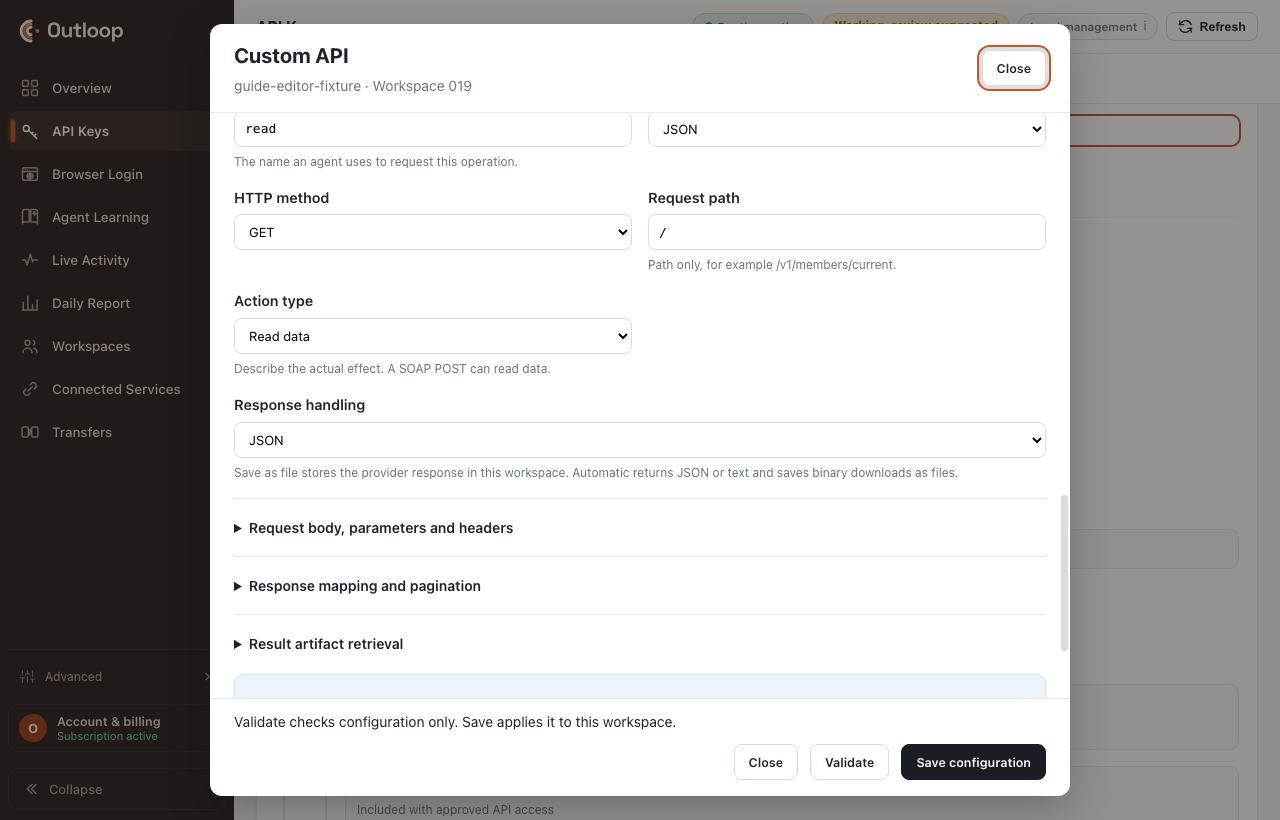
Readiness then measures every capability the intended workflow needs against what is present and what is still missing. A status operation alone cannot create anything — a configuration that can check a job and cannot start one can never be exercised, because the id the status read requires has no producing operation.
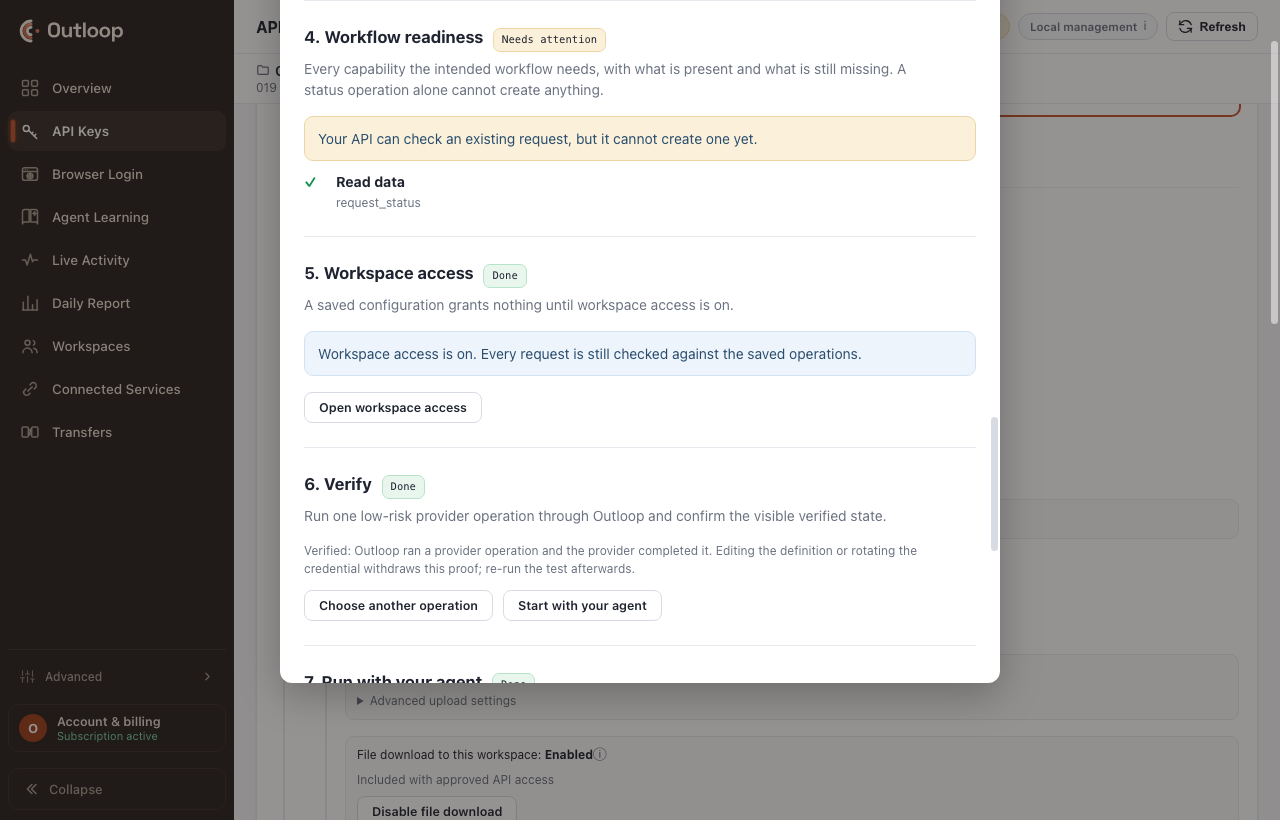
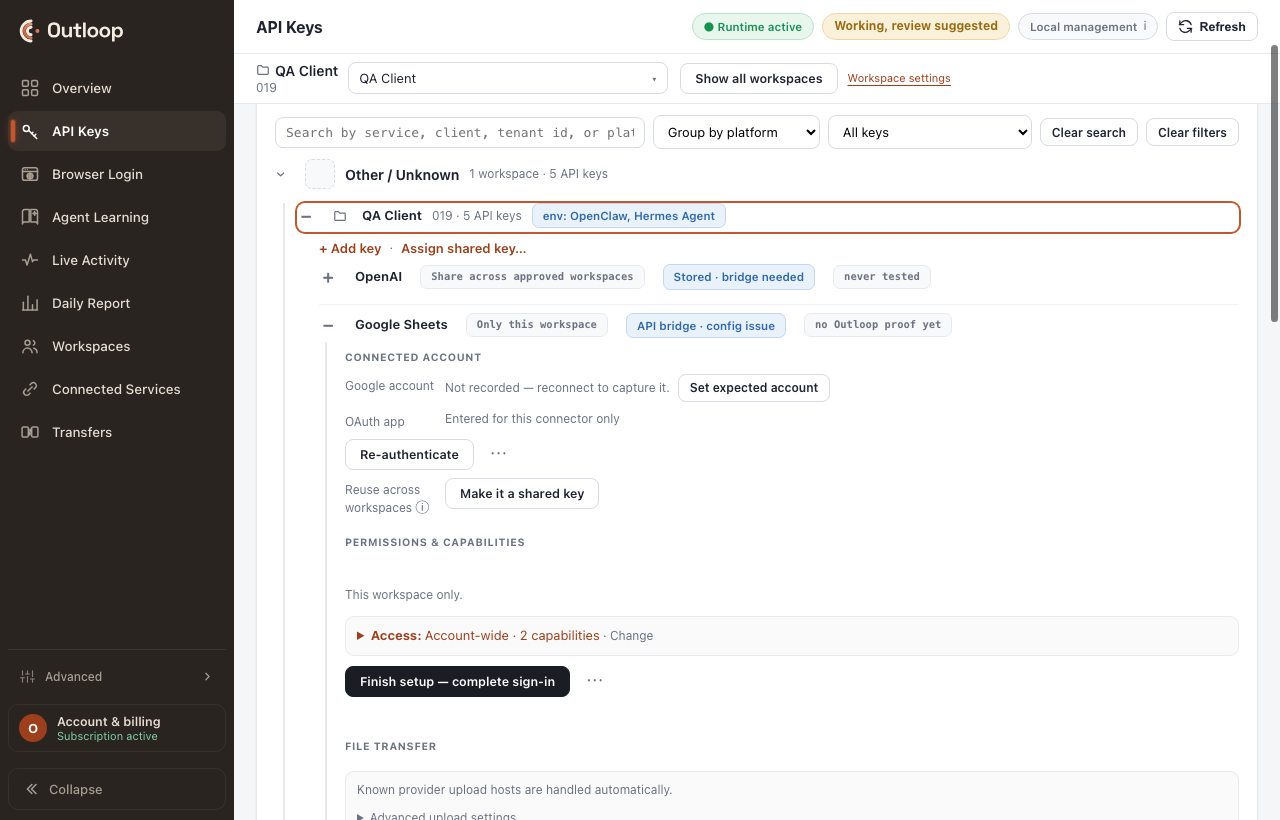
5. Workspace access
BRIDGE_NOT_ENABLED — locally, before any request leaves your Mac and before any
credential is read. Saving is storage. Access is permission. They are different acts.
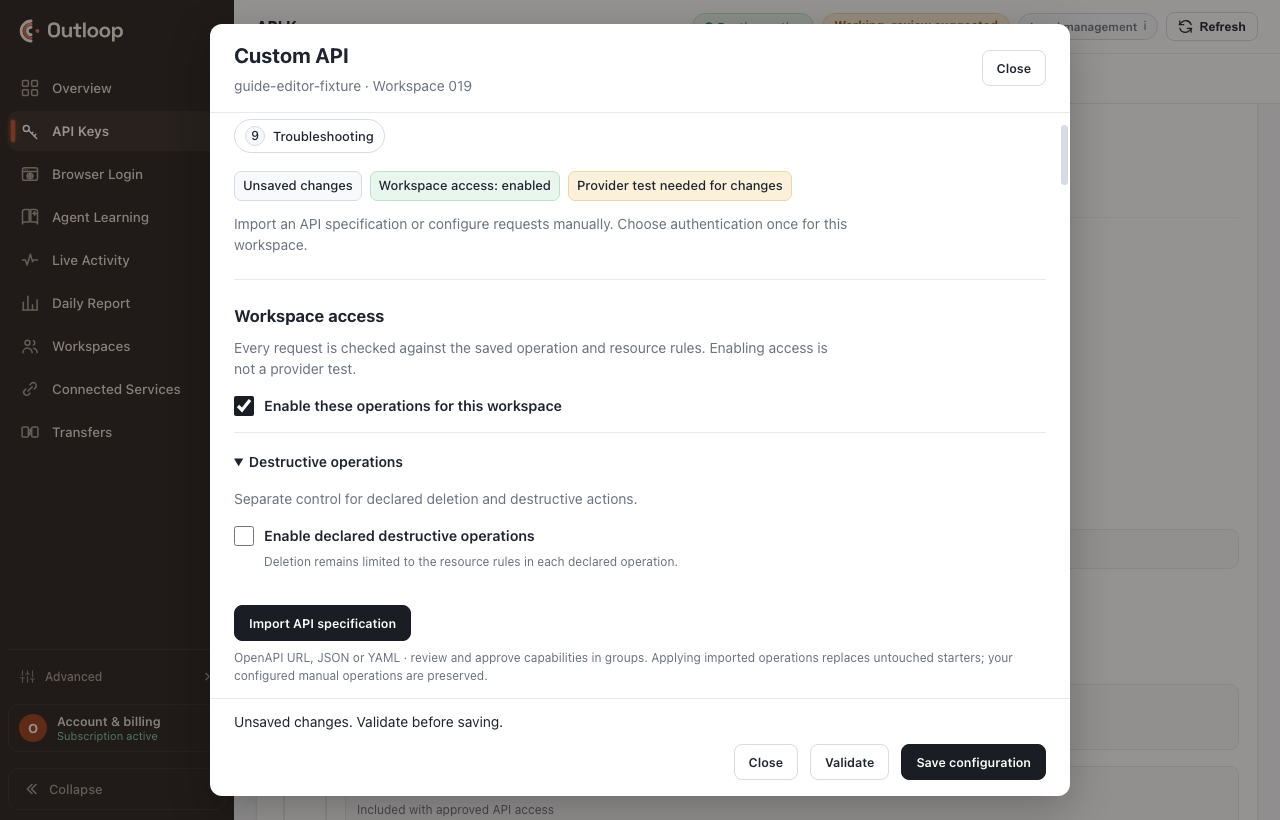
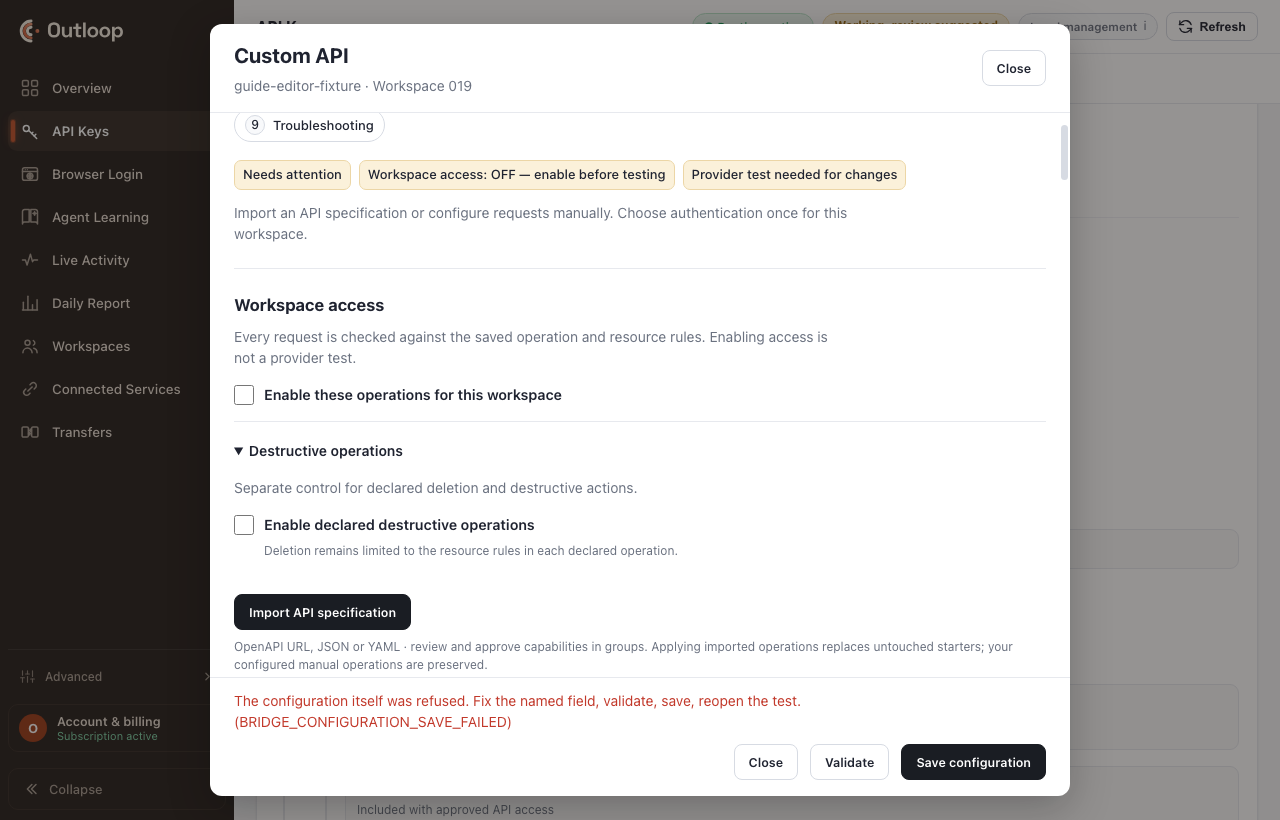
Then validate and save. Validation is local, and an incomplete result is a neutral fact that names the field.
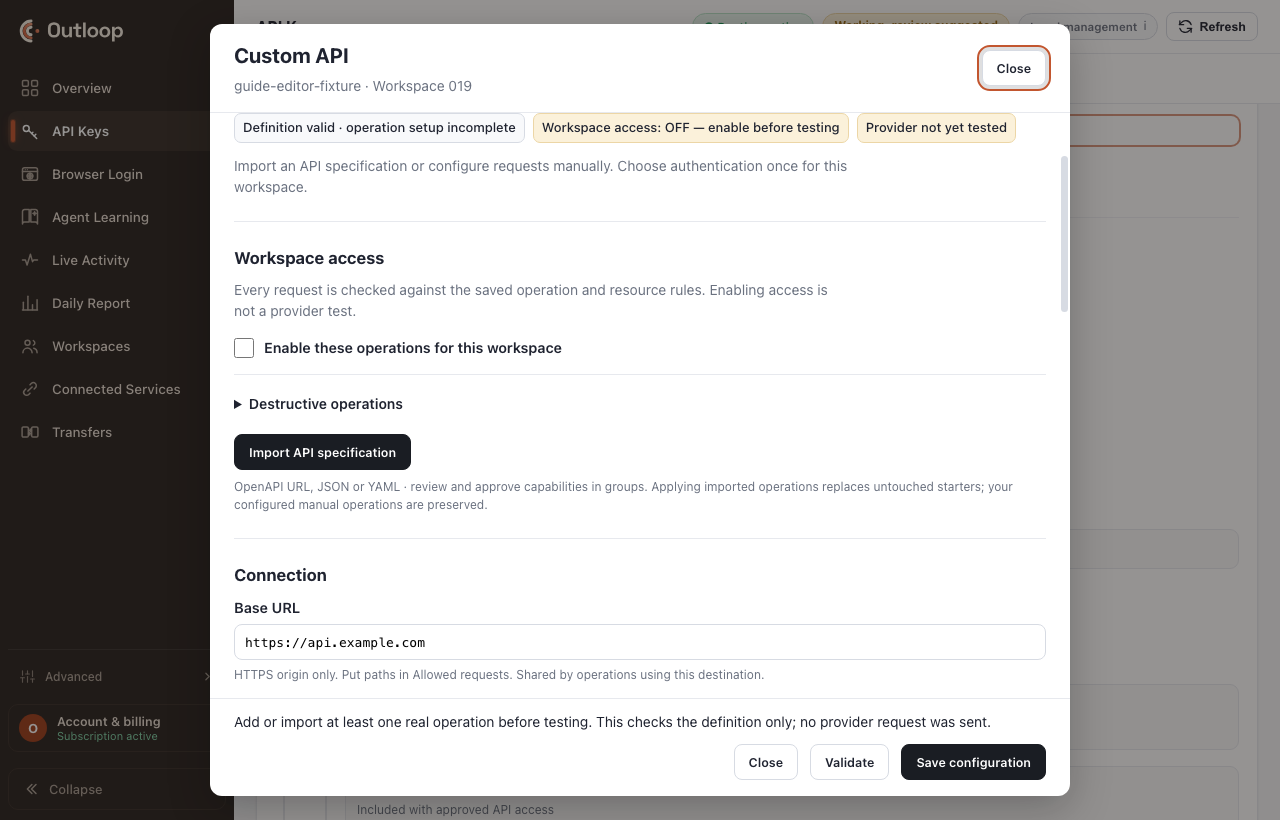
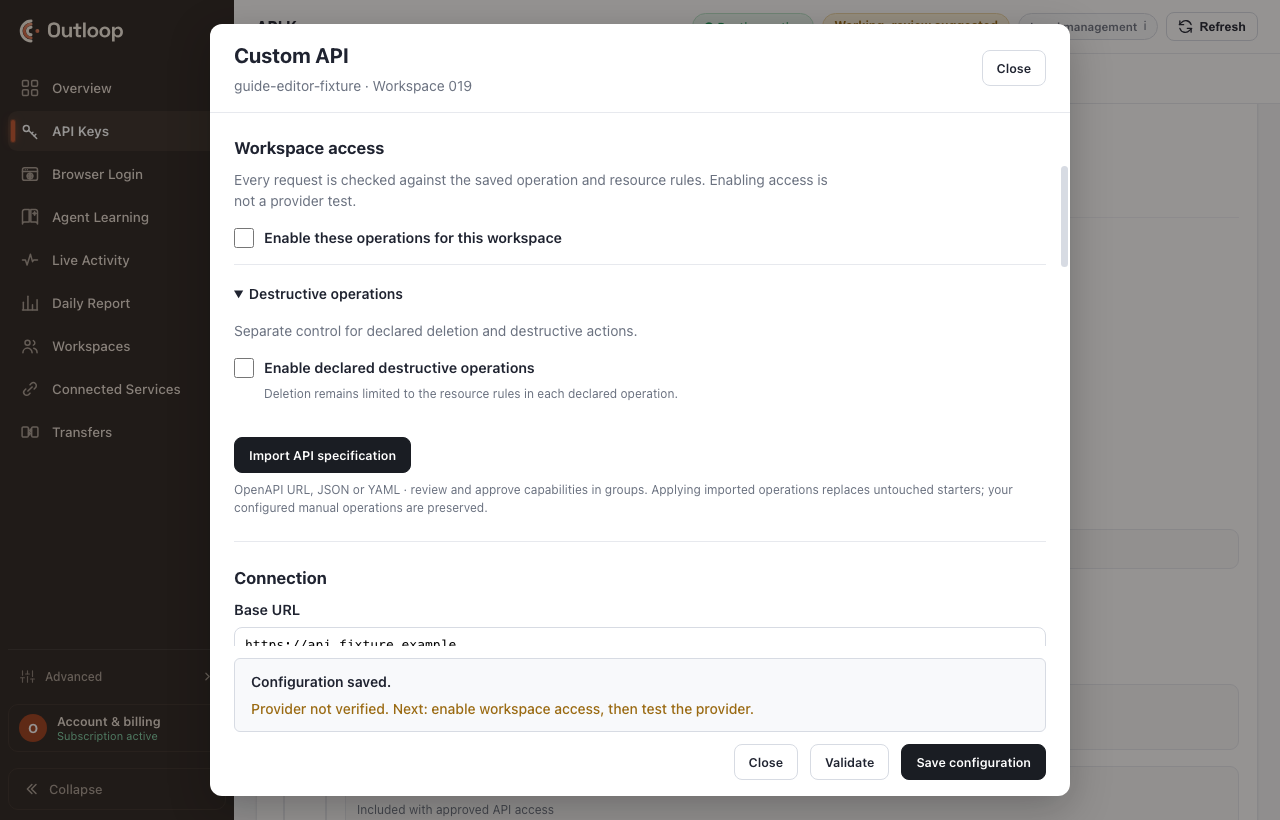
Setup is six independent facts, never one light
There is deliberately no collapsed "Connected" or "Ready" state anywhere in Outloop. Collapsing these is exactly how a half-configured service reads as finished.
| State | What it means on its own |
|---|---|
saved | The configuration validated locally and was stored. |
operations_configured | At least one operation is declared, with its effect classified. |
credentials_complete | Every credential component the authentication kind needs has a stored value. |
enabled | Workspace access is on, so this workspace may call the configuration. |
provider_verified | One real provider operation completed against this exact configuration and credential. |
workflow_ready | Every capability the intended outcome needs is present — not just a status read. |
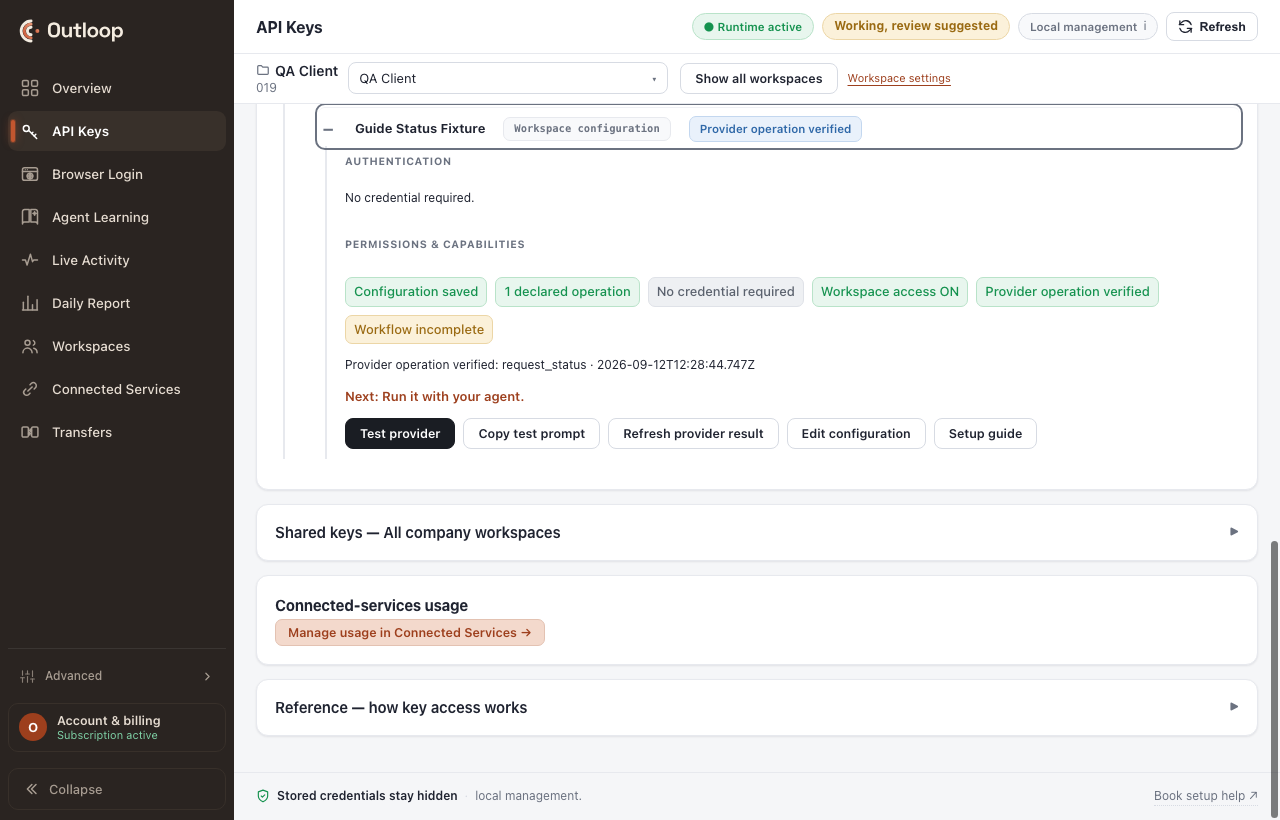
6. Verify
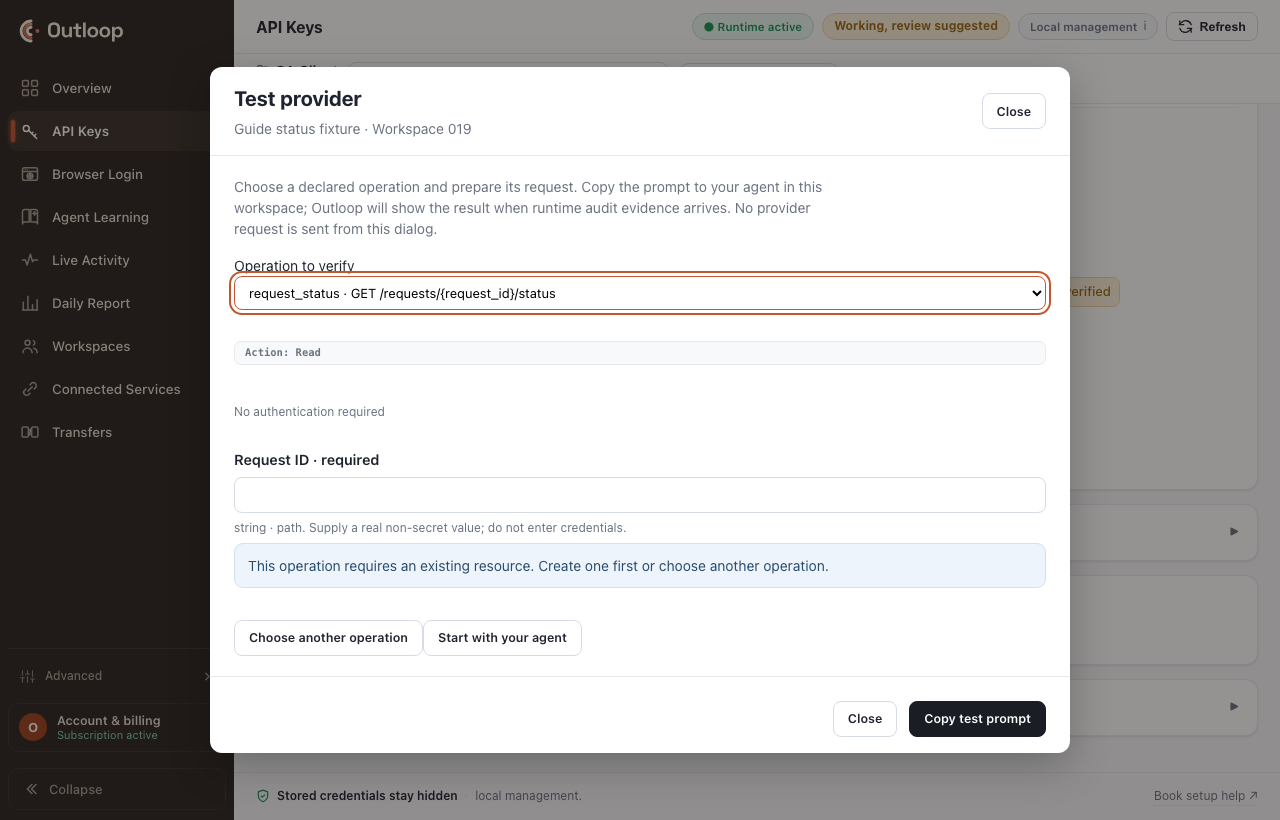
Run one low-risk provider operation through Outloop and confirm the visible verified state. A read, never a write: an access check is not the place to exercise a mutation.
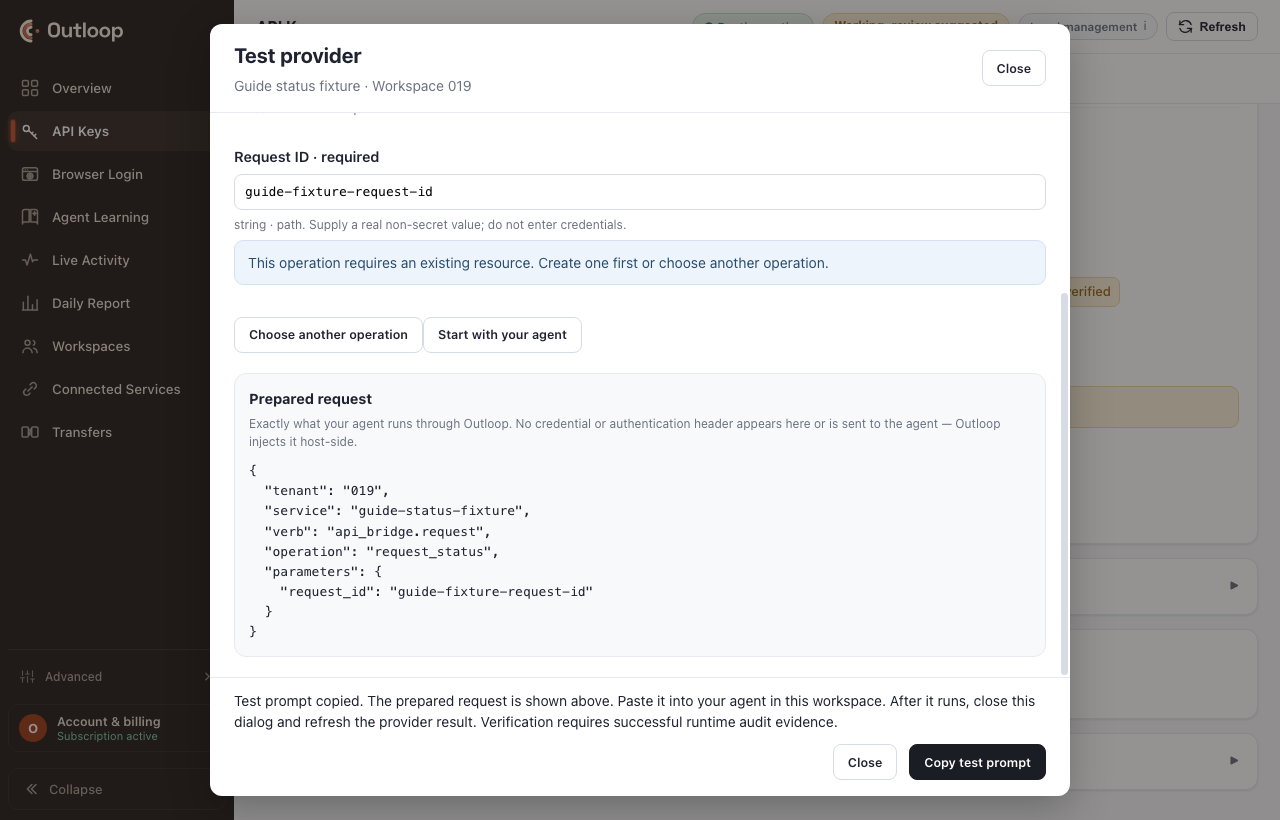
operation:        the lowest-risk real read you declared
decision:         allow
http_status:      200
secret_exposed:   false
runtime_verified: yes

provider_verified is now true for THIS saved configuration
and THIS credential. Editing either one invalidates it.
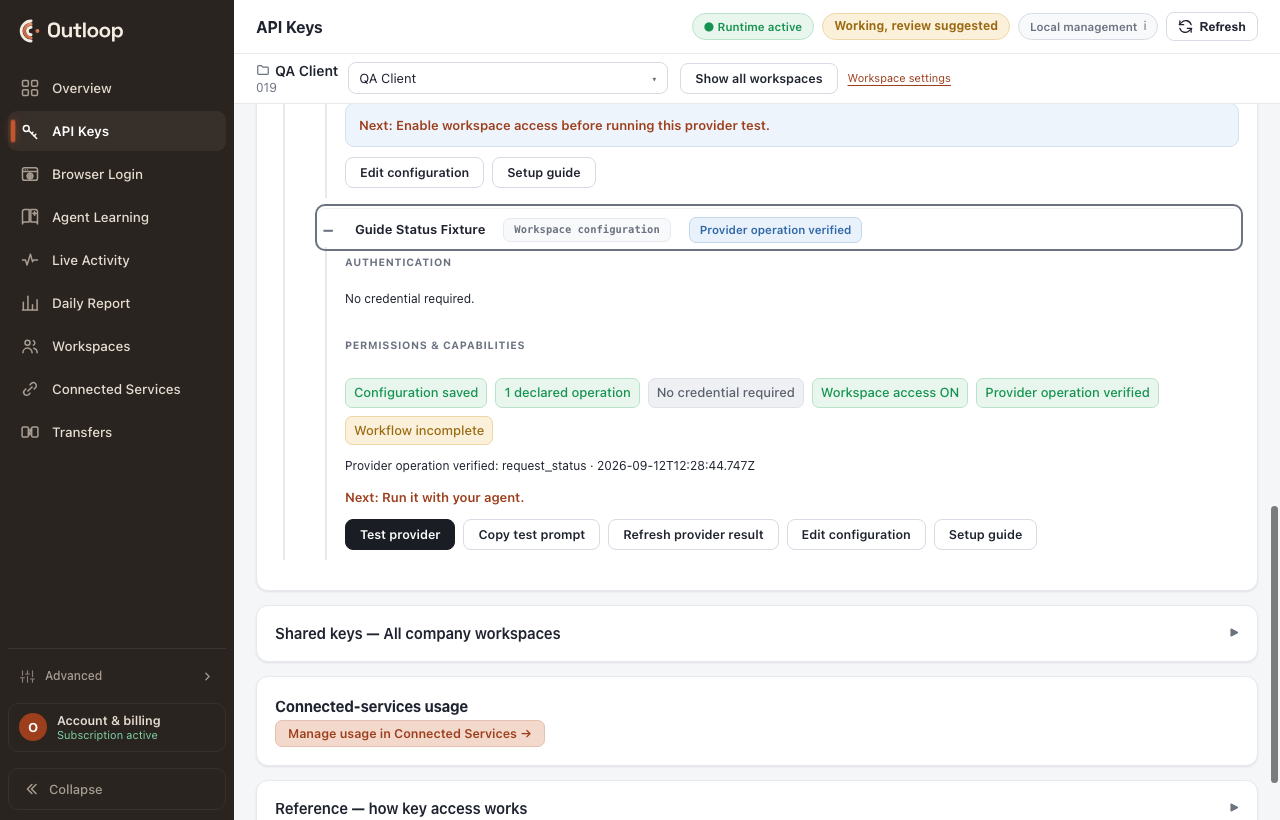
The required-resource rule
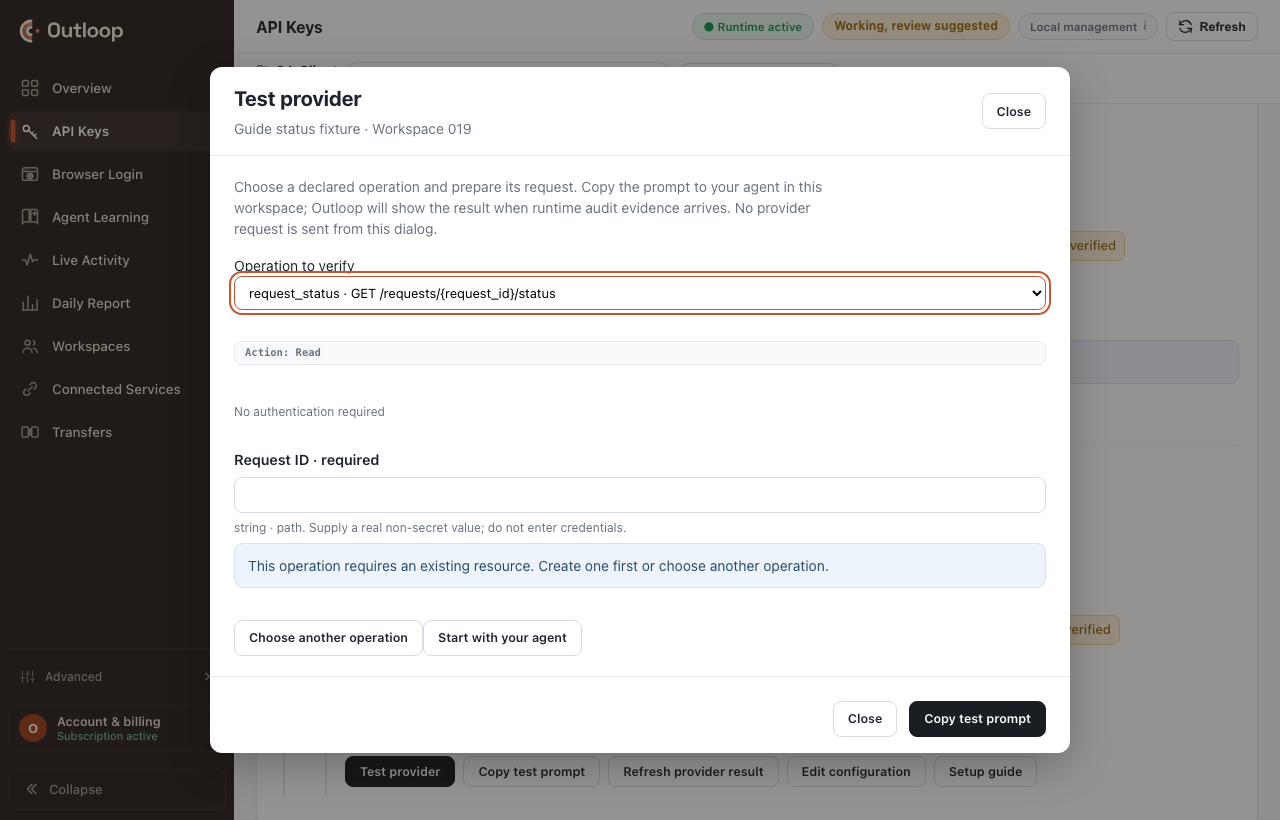
7. Run with your agent
Hand the agent the approved service. It inspects the approved operations and carries provider-generated ids between operations itself — you never paste a job id from one step into the next.
Use the approved {service} Custom API in this workspace. Inspect the approved operations and complete the task through Outloop. Handle provider-generated request/job/resource IDs internally. Do not ask for or expose credentials or authentication headers.
Substitute the real service name for {service}. Nothing in that prompt asks for a
credential, and nothing in it could produce one: Outloop composes the authentication host-side, so the agent uses
the credential's capability without ever seeing it.
8. Files and results
Real client work produces files, and a file has to land somewhere sane. Outloop covers four shapes:
- →A direct file response. The operation answers with bytes. Set its response mode to file and you get a workspace file receipt — path, size, checksum, MIME — instead of bytes in a conversation.
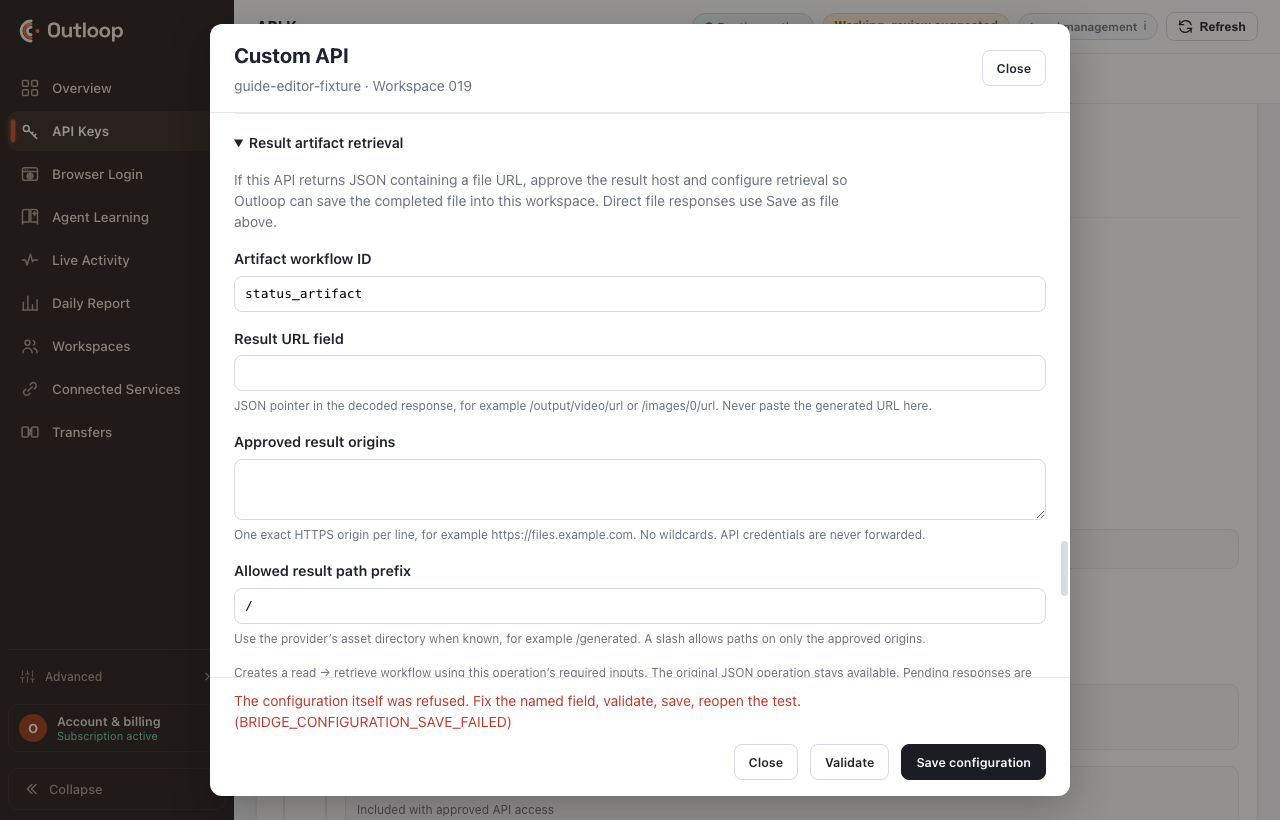
- →A provider-issued result URL. The JSON result points at a finished file on a different host. Result artifact retrieval follows that pointer to an approved result origin and saves the file — without forwarding the API credential to that host.
- →Approved origins and path prefixes. Exact HTTPS origins only, never a wildcard. A result URL outside them is refused locally, with nothing downloaded and nothing forwarded.
- →Uploads. A workspace file as a body source or a multipart part, bounded by declared MIME types and sizes — up to 128 parts, and a 50 GiB ceiling in each direction.
9. Troubleshooting
The latest attempt selects the rescue card, and every card names the control to fix. The rows below are in match order — the first matching row wins — with HTTP statuses first, then codes.
| What you see | What happened | Where to look | Next action | Local |
|---|---|---|---|---|
HTTP 401 | The provider rejected the credential. | Authentication → scheme, header name, composition details. | Match the provider docs exactly: scheme, header name, prefix or template. For a two-part key use Multiple credential components. Then re-run the test. | |
HTTP 403 | The provider denied this operation. Authentication passed; authorization did not. | The provider’s account and permission settings; the operation path. | Grant the key the needed permission or plan on the provider side, or pick an operation the key may perform. | |
HTTP 404 | The provider found nothing at that path. The request did reach the provider. | Connection → base URL; the operation path; the resource id you entered. | Check the full URL against the docs. If the operation needs a resource id, create one with the approved create operation first — an id from another tool or account is not proof. | |
HTTP 405 | The provider does not accept this method here. Path reached; method refused. | The operation’s method. | Set the method the docs specify, and classify the effect honestly. | |
BRIDGE_CONFLICT | The provider reported a conflict (HTTP 409). The resource already exists, or refuses this change in its current state. | The current provider resource. | Read the resource back before repeating a create or update. Never retry an uncertain mutation. | |
BRIDGE_RATE_LIMITED | The provider is rate-limiting (HTTP 429). Nothing in Outloop needs changing. | The reported retry_after_s, when the provider sends Retry-After. | Wait the reported interval, then re-run. Consider fewer polling attempts in workflows. | |
BRIDGE_PENDING | The provider accepted the request and is still working. provider_accepted is true; verified_completion is not yet. This is normal, not a failure. | The status operation and Result artifact retrieval. | Poll the status operation with the returned id until it is terminal, then retrieve the result. | |
BRIDGE_BUSINESS_ERROR | HTTP 2xx, but the body matched a declared error signal — for example success:false. Transport and auth worked. | The request parameters, and the provider’s error message in the audit. | Fix the input the provider objected to. Keep the error signals declared so a failure never reads as success. | |
BRIDGE_SOAP_FAULT | The SOAP service returned a fault inside HTTP 200. Transport worked. | The operation’s SOAP binding and the session login operation. | Compare the envelope with the WSDL example; re-run the login operation if the session expired. | |
BRIDGE_PROVIDER_ERROR | The provider failed (HTTP 5xx or an unexpected status). Nothing in the configuration is proven wrong yet. | The provider’s status page; the declared success statuses. | Retry later. If the docs say this status is normal for this call, declare it as a success or pending status. | |
BACKEND_SECRET_MISSING | A required credential component is assigned in the configuration but has no stored value for this workspace. | The credential panel for this service. | Enter the value once in Outloop — Add key, this service, Save. The agent never sees it. | Local |
BRIDGE_CREDENTIAL_NOT_ASSIGNED | The authentication block names a reference that has no stored value. | Authentication → credential reference. | Assign the reference, store its value, save. | Local |
BRIDGE_AUTH_REJECTED | Request sent; the provider refused the assigned credential. | Authentication. | See the HTTP 401 guidance: scheme, header name, composition. | |
BRIDGE_OAUTH_… · SESSION · DIGEST · SIGNING | The authentication lifecycle failed before the operation. Token exchange, login, challenge or signing did not complete, so the target operation was never reached. | Authentication → lifecycle fields: token endpoint, login operation, probe operation, signing recipe. | Fix the lifecycle configuration in Advanced JSON, and test the login or probe operation on its own. | |
BRIDGE_NOT_ENABLED | Workspace access is off. The configuration is saved, but this workspace may not call it. | Workspace access. | Turn workspace access on and save. | Local |
BRIDGE_RECREATION_… | The saved configuration is from an older engine and no longer validates. | Advanced JSON. | Recreate the configuration keeping the same operation ids and provider-created resource ids; validate; save. | Local |
BRIDGE_OPERATION_REQUIRED | This test needs an explicit choice first — the selected operation is the unreviewed root read, or has a non-read effect that must be acknowledged. | Test provider → operation and effect. | Choose a real low-risk read operation, or acknowledge the effect deliberately. | Local |
BRIDGE_OPERATION_NOT_ALLOWED | The agent or the test named an operation that does not exist, or was renamed. | Operations. | Use one of the declared operation ids, and reopen the test after saving. | Local |
BRIDGE_PARAMETER_INVALID | A parameter did not match its declared shape: missing, wrong type, or outside the approved pattern. | Test provider → parameters; the operation’s parameter schema. | Enter the named parameter as declared, or relax the declaration if the docs allow it. | Local |
BRIDGE_RESOURCE_… | This operation needs an existing provider resource — a request, job or document the provider creates. | Operations → the create operation that produces the id. | Create one first with the approved create operation, or choose another operation for the test. | Local |
DESTRUCTIVE_ACTION_BLOCKED | The operation is classified destructive and the workspace setting is off. | Destructive actions. | Leave it off unless the workflow truly needs deletes. If it does, enable it deliberately and save. Nobody is being asked to approve anything — this is a setting. | Local |
DATA_PRIVACY_ACTION_NOT_ENABLED | The operation is classified privacy_delete, and that family is switched on separately. | Workspace settings. | Enable the data-privacy family only for the workspace that needs it. | Local |
BRIDGE_FILE_RESPONSE_NOT_ENABLED | The agent asked for a file but the operation’s response mode is inline. | The operation’s response handling. | Set the response mode to auto or file, save, then request the file again. | Local |
BRIDGE_TRANSFER_URL_… | The provider returned a download URL on a host or path prefix that is not approved. No credential was forwarded and no download happened. | Result artifact retrieval → origins and path prefix. | Add the exact HTTPS origin the provider uses — no wildcards — and the path prefix; save. | Local |
Destination / host / redirect / DNS refusals | A private or unapproved host, a redirect off-origin, or a DNS failure. The request did not leave the approved boundary. | Connection → base URL; result origins. | Use the documented public HTTPS host. Approve private destinations explicitly if the provider is internal. | Local |
Media / file / body / multipart refusals | The file, body or upload did not meet the declared limits: wrong workspace path, disallowed MIME type, size over the limit, or a body format mismatch. | The operation’s body sources, multipart parts and limits. | Point at a file inside the workspace, match the declared type and size, or raise the limit deliberately. | Local |
BRIDGE_RESPONSE_… · XML · STREAM | The provider answered, but the response did not match the declared format — HTML or XML where JSON was declared, an oversized body, or a selector pointing at nothing. | The operation’s response format, data pointer and selectors. | Declare the real response format and pointers, taken from a documented example. | |
Configuration refusals (contract, header, path, pagination, workflow, stage, engine) | The definition itself was refused: invalid, unsupported by this engine version, or changed while a test was open. | Validate in the editor — the message names the field. | Fix the named field, validate, save, reopen the test. | Local |
SERVICE_NOT_GRANTED · TARGET_HOST_NOT_ALLOWED · METHOD_NOT_ALLOWED · CAPABILITY_NOT_ENABLED | This workspace may not use that service or method. The grant was removed, the workspace archived, or the method or host is outside the approved set. | The service row for this workspace. | Re-grant the service to the workspace, or approve the method or host in the configuration. | Local |
BRIDGE_TRANSPORT · DEADLINE · CANCELLED · BUSY · EXECUTION | The request could not be completed — network failure, timeout, cancellation, or an internal execution error. The outcome is uncertain if the operation was a mutation. | Provider reachability; the audit entry. | For a read, retry. For a mutation, read the resource back before repeating. |
What the engine supports
Every number below is a property of the shipped Custom API bridge contract, read out of the product rather than written from memory. They describe what the engine accepts — they are not a claim that any particular provider has been connected or verified.
| Dimension | What the engine supports |
|---|---|
| HTTP methods | 7 — GET, POST, PUT, PATCH, DELETE, HEAD, OPTIONS. CONNECT and TRACE are always denied. A POST can be a read (SOAP, search); the method never classifies the operation. |
| Effects | 9 — read, compute, write, external_send, financial, access_change, consent_change, destructive, privacy_delete. Every operation declares one honestly. |
| Authentication kinds | 12 — from no authentication through bearer, composed API keys, Basic, OAuth, digest, HMAC signing, mTLS and session login. |
| Body and response formats | 7 — json, text, form, binary, multipart, xml, soap — plus auto. |
| OpenAPI import | 3.0, 3.1 and 3.2. Swagger 2.0 must be converted first. |
| Envelope limit | 8 MiB request and response. |
| Header limit | 64 KiB. |
| Multipart parts | 128. |
| Workflow steps | 16, with 1–100 poll attempts per read step. |
| Upload / download ceilings | 50 GiB each. |
| SOAP | 1.1 only. |
Two consequences worth stating plainly. The method never classifies the operation — a POST can be a read, which is normal for SOAP and for search endpoints, so every operation declares its effect honestly instead. And SOAP 1.1 is supported and shipped, including the session pattern, so "we only do REST" was never true of this engine.
Reusable patterns
These are shapes, not provider code. Outloop ships no provider-specific Custom API adapters of any kind.
| Pattern | What it covers |
|---|---|
| REST API with an API key | Header or query key; JSON read and write operations. |
| Bearer token or OAuth | Static bearer, refresh-token exchange, or client credentials. |
| Multiple credential components | “Key <id>:<secret>” style values composed host-side from separate references. |
| Async create → poll → result | Submit, carry the id, poll status, retrieve the terminal result. |
| Provider-generated IDs | IDs flow from the create operation into later operations. The agent carries them; nobody pastes them. |
| Uploads | A workspace file as a body source or a multipart part, with MIME and size limits. |
| Downloads | Binary responses published as workspace files, with collision rules. |
| Provider-issued result URLs | Approved result origins and a path prefix. No API credential is forwarded to the result host. |
| SOAP and session APIs | Login operation, captured session value, reuse rule, fault signals. |
| Complex APIs | Signing, digest, mTLS, pagination and workflows edited in Advanced JSON. |
Two worked examples
A document API with a prefixed API key
The documentation shows the authorization value as API-Key <your key>. A first setup
almost always sends the key bare — because "API key" sounds like "paste the key" — the provider answers 401, and the
obvious next move of requesting a new key is exactly wrong. Set the value template to the scheme word, a space, then
the single credential placeholder. Not the bare value, and not Bearer.
The rest of the recipe: import the published OpenAPI specification by URL and expect a large catalogue, of which most operations are irrelevant to your outcome; select what the outcome needs and classify each effect honestly, because a document create is a write, not a read. Creating a document is asynchronous — the provider returns an id in a non-terminal state — so the honest workflow is create, carry the id, poll to a terminal state, retrieve. The retrieval is a binary response, so set that operation to save as a workspace file.
An async media API whose result lives on another host
Four operations in sequence: a create that submits the generation and answers with a request identifier; a status read that takes that identifier and reports progress; a result read whose terminal payload carries a URL to the finished media on a host that is not the API host; and the retrieval that follows it to an approved result origin and saves a workspace file. Configure result artifact retrieval with a JSON pointer to the media URL, the exact HTTPS result origin, and the path prefix. Exact origins only — no wildcards.
- ✕Status-only is a half workflow. Configuring the status read first feels like progress — it is a GET and it is safe — but a configuration that can check a request and cannot create one can never be exercised, because the identifier it needs has no producing operation. Readiness says so. Believe it.
- ✕An account with no credits is an external prerequisite, not a configuration bug. A create that is accepted and never completes may simply be an empty balance. Name it and stop — never loosen the configuration to make it look like something else.
What is proven, and what is not claimed
This is a universal guide, so it has no single provider to have verified — and a page that does not say so is a page borrowing credibility it did not earn. Each line below carries exactly one status.
- Engine contract The capability numbers. Seven methods with CONNECT and TRACE always denied, nine effects, twelve authentication kinds, seven formats, OpenAPI 3.0–3.2, the envelope, header, multipart, workflow and transfer limits. These are read from the shipped bridge contract, not measured against a provider.
- Engine contract The local refusals. Workspace access off, an unassigned or missing credential, an undeclared operation, a parameter outside its schema, a required resource id, a result URL outside the approved origins — each refuses before any provider request leaves the Mac. That is the engine's own behaviour.
- Docs-backed example The two worked examples. Written from each provider's published documentation as illustrations of a pattern. Neither has been runtime-verified here, neither is an adapter, and neither is a supported connector.
- Not claimed No provider proof is published on this page. Verification is something your configuration does, against your provider, with your credential — and it is invalidated the moment you edit either. A universal guide cannot do it for you, and pretending otherwise would be the one claim most worth distrusting.
- Not claimed The Setup Skill's runtime coverage. It is published as a candidate and names no runtime as verified until it has actually been load-tested in that runtime.
- Stage honesty Outloop is at controlled design-partner prep. This page describes what the engine enforces and what the setup actually does. It makes no compliance or certification claim of any kind.
Rotate or revoke safely
Verification is tied to the exact saved configuration and the exact credential. Editing either invalidates it — which is the point. A rotated key is a different credential, and a configuration that worked with the old one has not been shown to work with the new one.
- 1.Create the replacement credential on the provider first, where the provider allows both to exist at once. Then you never have a window with no working credential.
- 2.Enter the new value in Outloop, in the same credential panel. The reference name does not change, so no operation has to be edited.
- 3.Re-run the verification read and confirm the visible verified state comes back. Until it does, treat the service as unverified rather than assuming.
- 4.Revoke the old credential on the provider. Revoking there is what actually ends its reach — deleting a reference in Outloop stops Outloop using it, not anyone else.
To take access away without touching the credential at all, turn workspace access off. The configuration stays, every call refuses locally, and nothing reaches the provider.
Glossary
| Term | What it means in Outloop |
|---|---|
| Operation | One approved request shape: method, path, effect, parameters, response handling. |
| Effect | Honest classification of what an operation does: read, compute, write, external_send, financial, access_change, consent_change, destructive, privacy_delete. |
| Credential reference | A name inside the configuration that stands for a value stored once in Outloop and never shown. |
| Workspace access | The switch that lets this workspace call the saved configuration. |
| Provider verified | Outloop ran one operation against the provider and the provider completed it. Proof is tied to the exact saved configuration and credential; editing either invalidates it. |
| Workflow | A saved sequence of operations with bindings and polling, run as one request. |
| Result artifact retrieval | Reading a JSON result, following its file URL to an approved origin and saving the file into the workspace, without forwarding the API credential. |
Official documentation
A Custom API is configured entirely from the provider's own published API documentation — that is the authoritative source for the base URL, the authorization scheme, the paths, the parameters and the terminal states. Outloop has no provider-specific knowledge to add, and neither this guide nor the Setup Skill substitutes for reading it.
- →The OpenAPI Specification — the import formats Outloop accepts are 3.0, 3.1 and 3.2. Swagger 2.0 has to be converted first.
- →The Outloop Custom API Setup Skill in the Skill library — the download, its checksum and the full package documentation.
- →The connector guides — check here before building a Custom API. A native connector, where one exists, is always the better route.
- →AI agent API key management — the reasoning behind the boundary this page configures.
Outloop is available with guided onboarding for agency teams. Outloop is an independent tool and is not affiliated with or endorsed by any provider named on this page. Provider names are used only to illustrate reusable configuration patterns, and are trademarks of their respective owners.
Name the service. Let the agent do the setup.
Connect approved access once, in the workspace it belongs to, and let agents work across client systems without ever seeing the credential.
Start 14-day trial